3.3 Custom Field Settings
This feature is used to define additional device information fields, such as production date, device model, etc. These fields will be displayed during device addition or import.
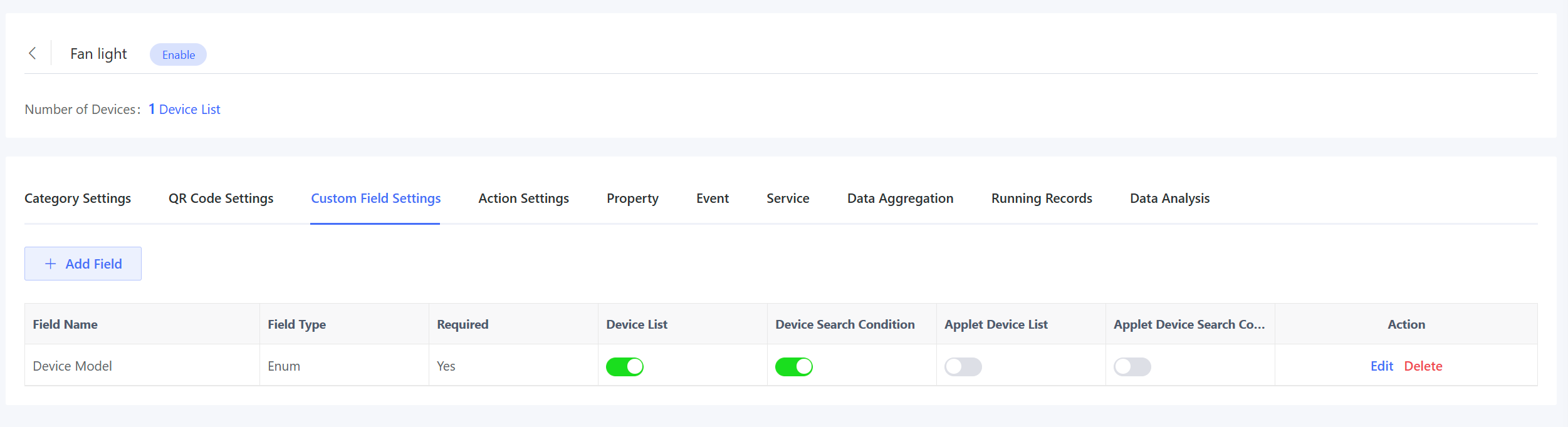
Click “Add Field” and fill in the following information in the pop-up window.
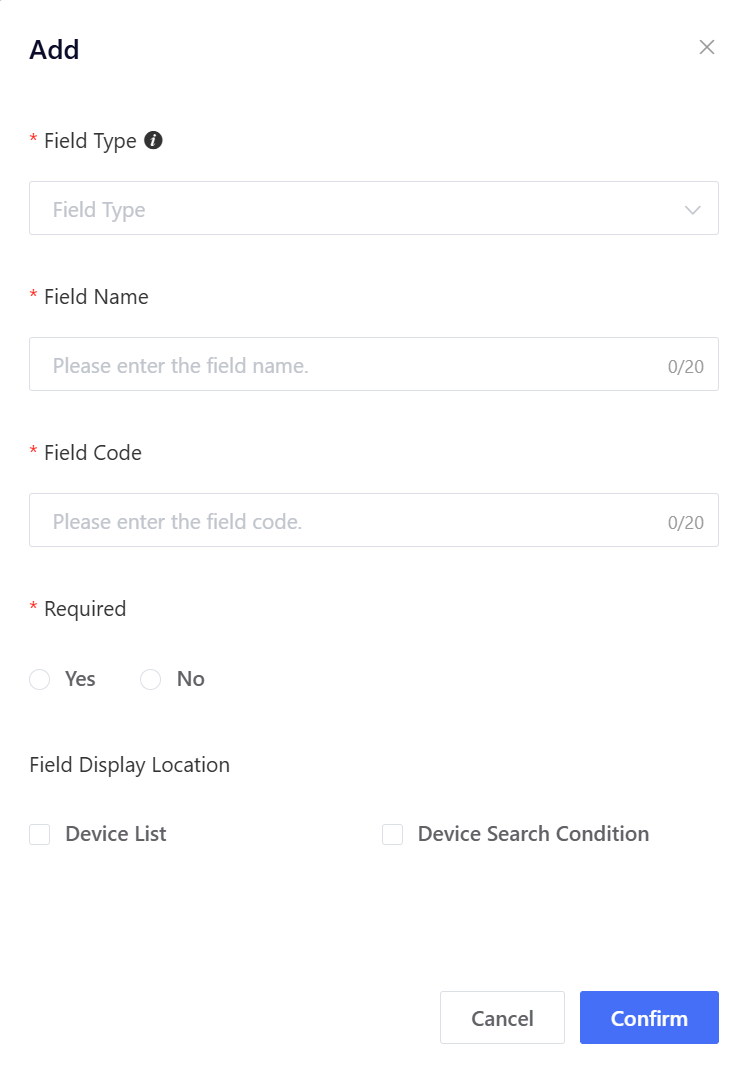
Field Type: Support String, Date, and Enum types. The field information entry controls corresponding to different types are different.
String: Record textual or numeric values (e.g., batch number) with an input box control. Data: Record date values (e.g., manufacturing date) with a date picker. Enum: Record model information (e.g., device model) with a dropdown menu.
Field Name: e.g., production batch number, manufacturing date. Field Code: A unique identifier, which can be the same as the field name. Enum Items: Required only for Enum type (e.g., Model A, Model B, Model C) Required: Whether this field is mandatory when adding/importing devices. Field Display Location: Whether to display this field in the device list and search condition.
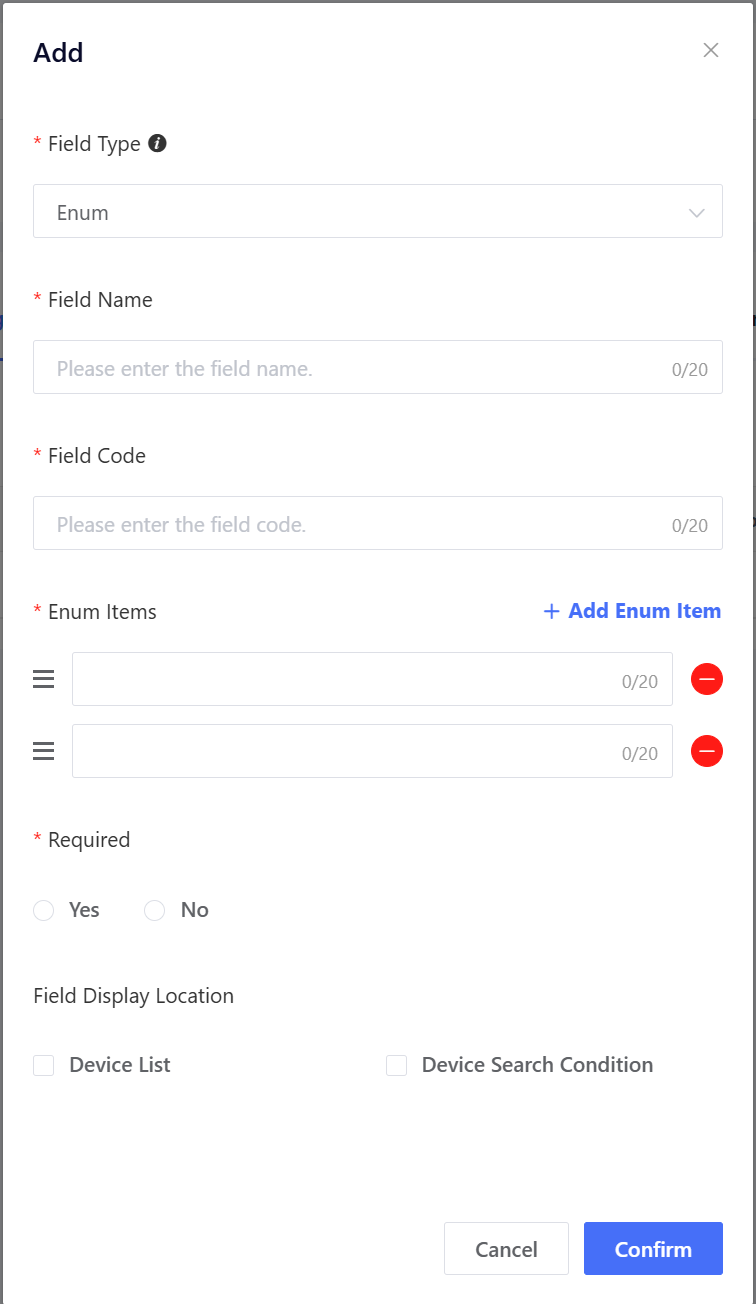
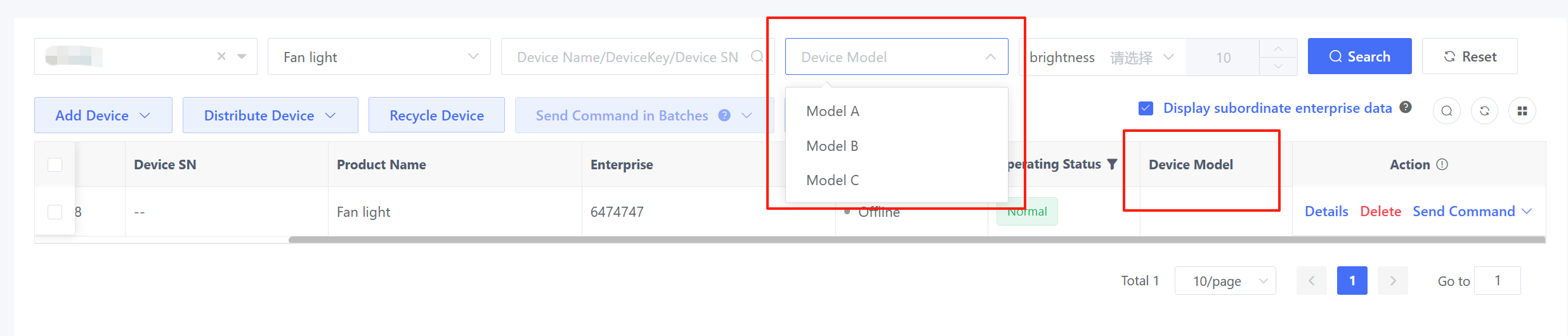
For example, you create a field named "Device Model", set it as required, and display it in both the device list and search conditions.
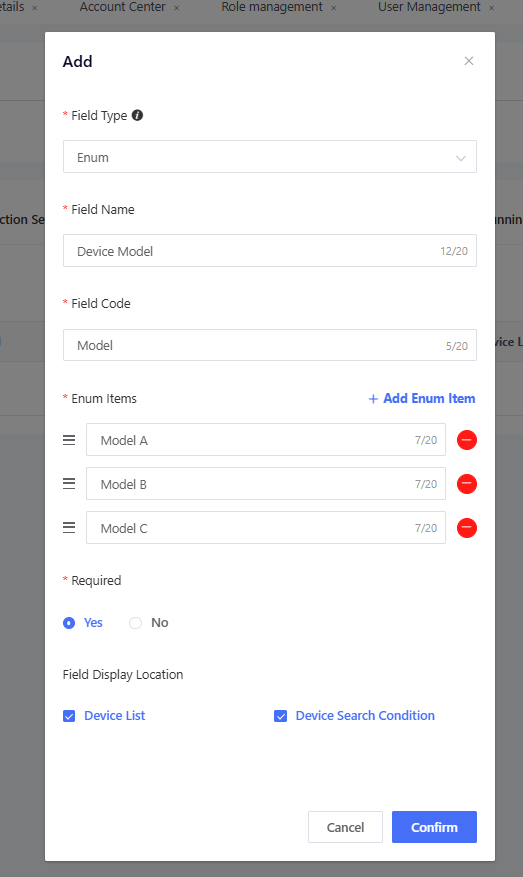
After creation, the field will be displayed when you add or import devices.
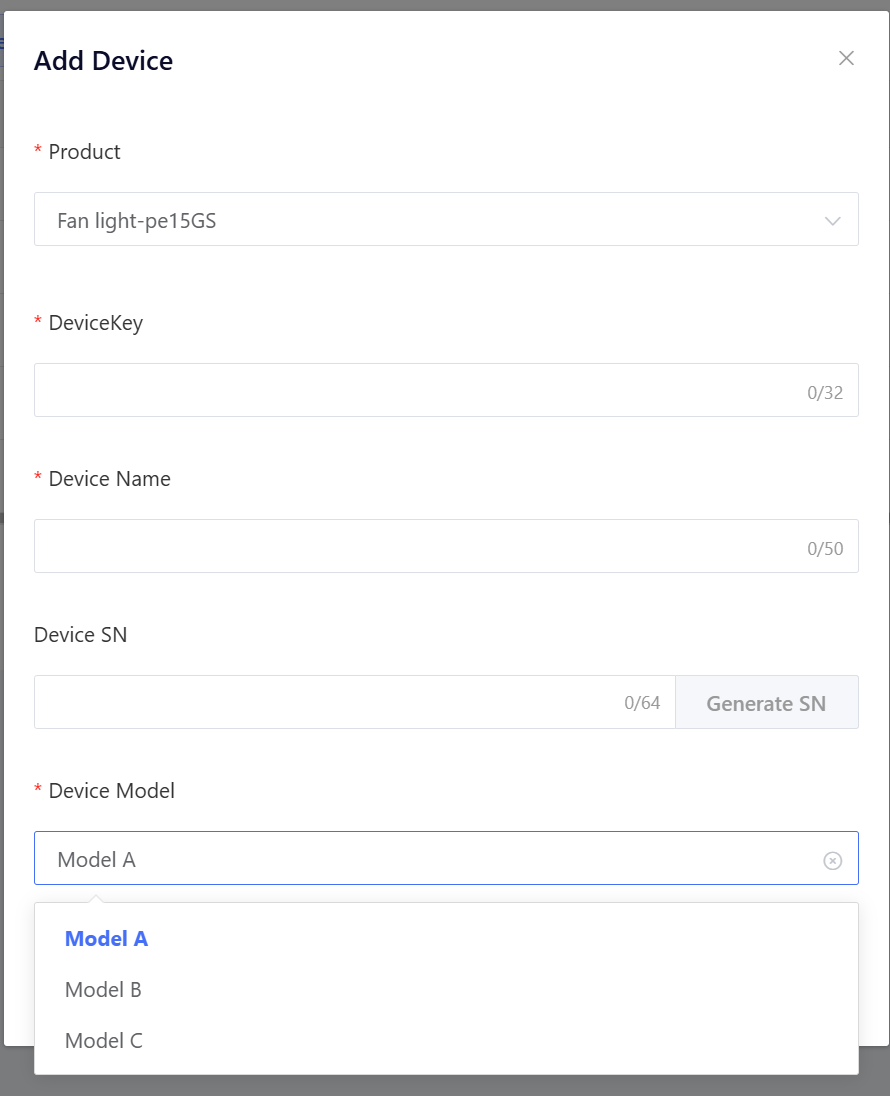
When you select this product in the device list, this field will be displayed in both the device list and the device search conditions.