
8.2 Device Service
The business model of device service is: enterprises cover the operational costs (including SIM/RTK, etc.) generated during device operation and package these costs as "Smart Device Services" for sale to C-end users. For example, if a device is sold with one year of smart service (such as an app service), the user needs to renew the device service after one year.
8.2.1 Device Service Plan Setup
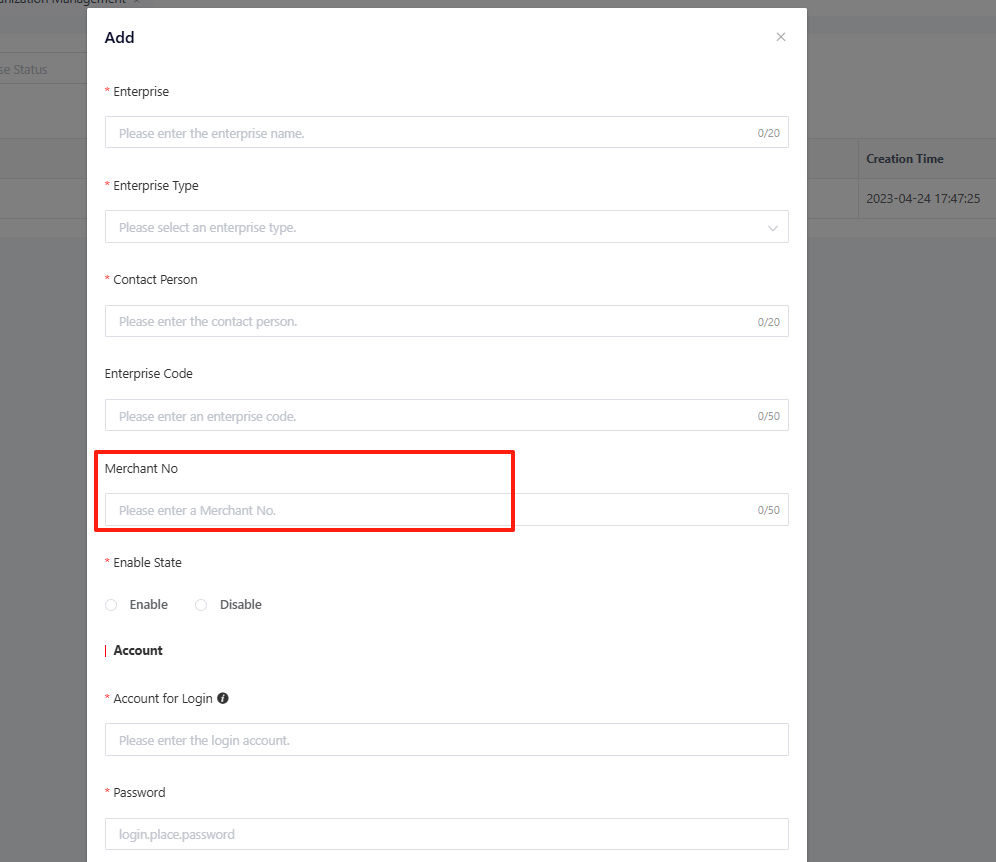
To enable this service, please contact the business team to apply for the creation of a BSS merchant ID and the corresponding sales package (e.g., RMB 199/year). Once the creation is completed, you will receive your enterprise merchant number and BSS platform login credentials (username and password). After obtaining the enterprise merchant ID, navigate to “Enterprise” > “Organization”, and click “Edit” to edit the current-level enterprise and enter the BSS merchant ID, then click “Confirm” to save the changes.
8.2.2 Device Service Rule Configuration
Configure device service rules on AMP based on your actual sales model. The platform supports a complete device service flow including Trial Period → Usage Period → Service Suspension upon Expiration → Renewal Restoration.
Navigate to “Product” > “Device Service” page.
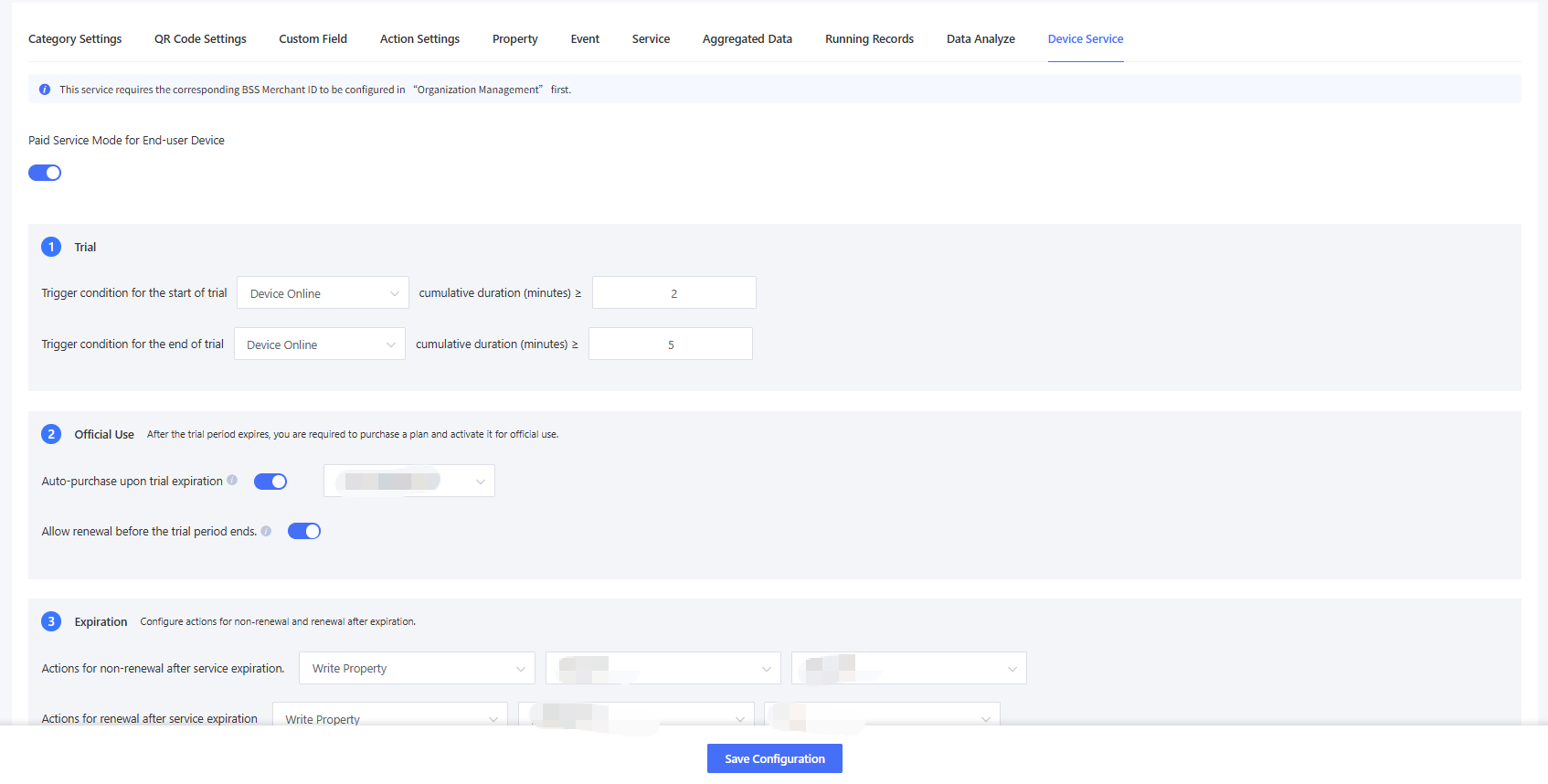
Paid Service Mode for End-user Device: Disabled by default. Click to enable and configure device service rules.
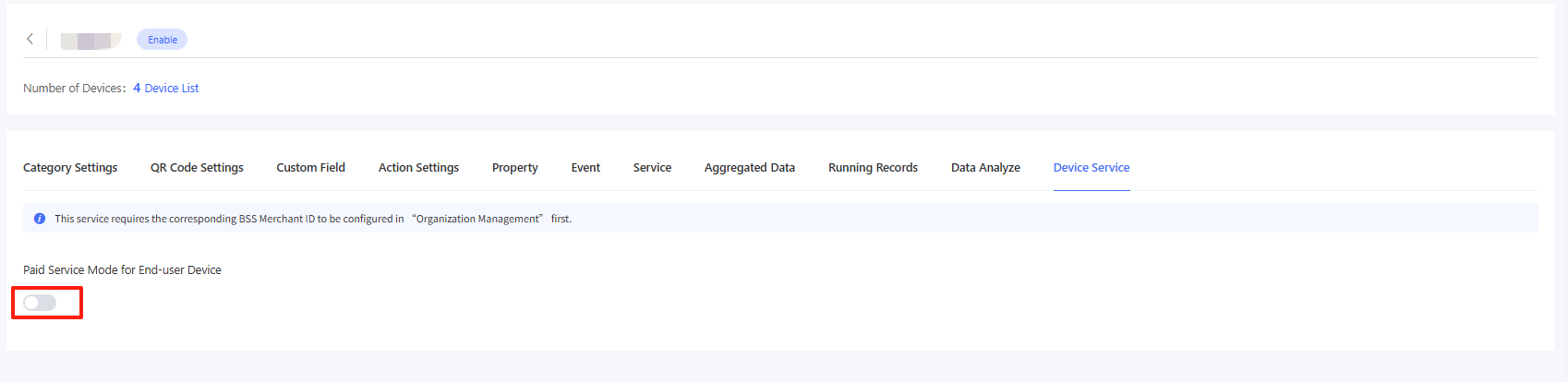
(1)Trial
Trigger Condition for the Start of Trial: It can be configured to enter the trial period when the device's cumulative online duration ≥ X hours. For example, if a device is online from 09:00 to 11:00 and 14:00 to 17:00, the cumulative online duration totals 5 hours.
Trigger Condition for the End of Trial: It can be configured to end the trial period when the device's cumulative online duration ≥ X hours.
For trigger condition for the start of trial, you need to account for production testing procedures. Certain devices may power on and connect to the AMP during factory testing, which would prematurely trigger trial period calculation.
If no trial period is offered, you can configure a minimal trial period. For example, set the trial period to start when cumulative online time ≥ 5 minutes and end when ≥ 10 minutes.
(2)Usage
After the usage period expires, you need to subscribe to a service plan to activate it for use. This involves the following two configurations:
Auto Subscription Upon Trial Expiration: It is disabled by default, meaning that after the trial period ends, the service will be stopped and a renewal is required to reactivate it. When the subscription is enabled, you can choose to automatically subscribe to a plan after the trial ends, which is mainly applicable to business models such as "buy a device, get X years of smart service." For example, if a device comes with one year of free smart service, the service will automatically be renewed for a year after the trial period ends. Since it is an auto-subscription, it is only available for service plans that meet the following conditions: the selling merchant is the enterprise merchant associated with the product, the plan type is classified as a manufacturer enterprise plan, and the plan amount is $0.
Allow renewal before trial period ends: It is disabled by default, meaning that renewal is not allowed before the trial period ends. When the option is enabled, the trial service can also be renewed. If the user renews before the trial ends, the AMP will automatically skip or end the trial period early and enter usage mode, and auto-subscription upon trial expiration will not be triggered.
(3)Expiration
Configure actions for non-renewal upon expiration and renewal after expiration:
Action for Non-renewal upon Device Expiration: If the device expires without renewal, a "Lock" command will be sent to the device to stop its service. The corresponding properties for this action can be configured and pushed through the TSL model.
Action for Renewal after Device Expiration: If the device is renewed after expiration, an "Unlock" command will be pushed to the device to resume its service. The corresponding properties for this action can be configured and pushed through the TSL model.
Set Cache Duration: It is used in cases where the device is offline during expiration/renewal, and commands cannot be pushed. After setting the cache duration, if the device is offline at the trigger time and comes online within the cache duration, the AMP will resend the command once the device is online. The cache duration can be set for up to 90 days.
8.2.3 Device Service Query
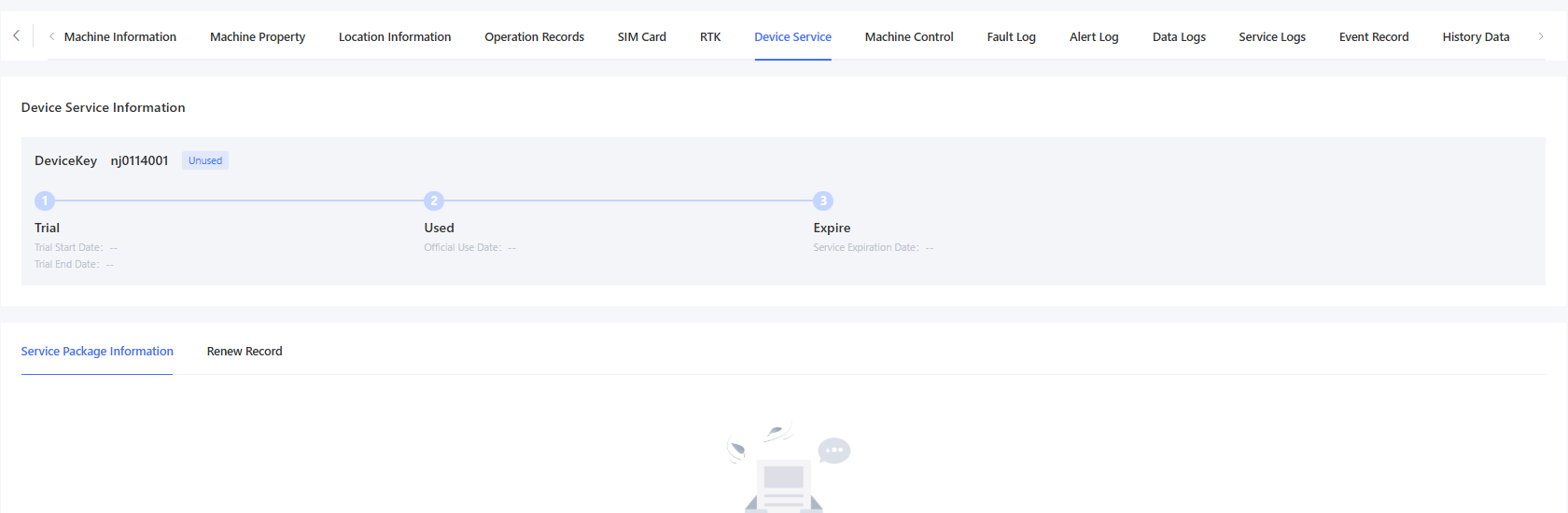
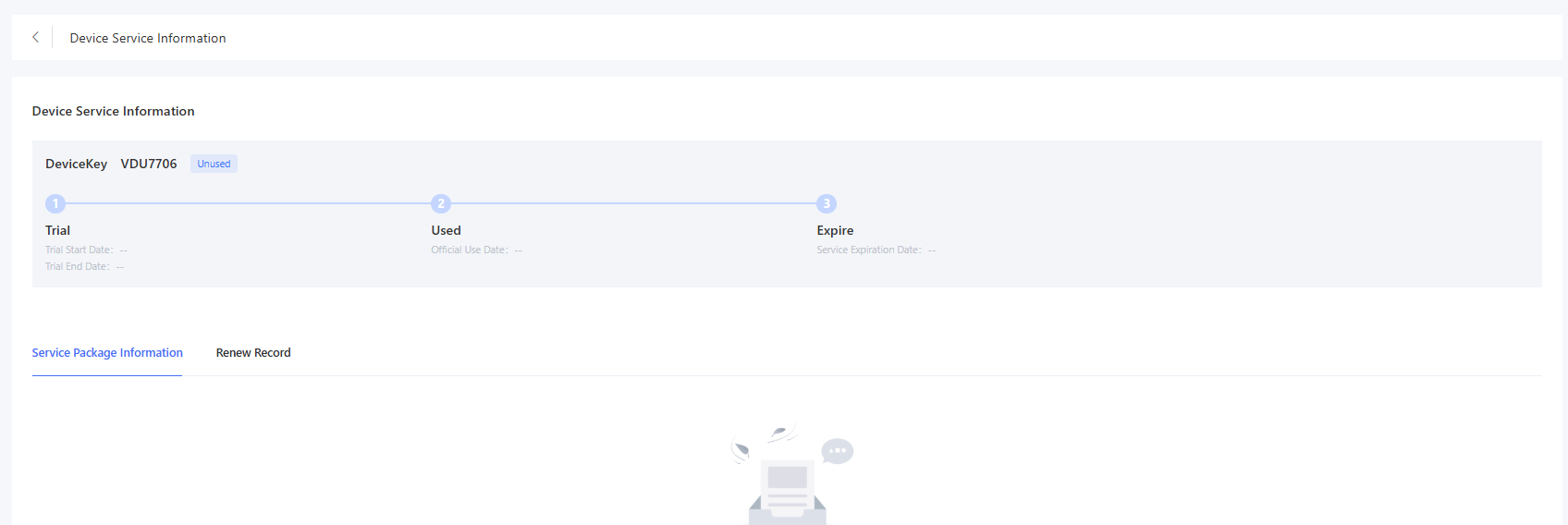
For products with device service enabled, navigate to “Device” > “Device List” > “Device Details” > “Device Service” page to view the device service details, including device service information, service package information subscribed by the device, and renewal information.

8.2.4 Device Service List
Enter “Plan” > “Device Service” to view the list of all devices with consumer end device services enabled under the authorized enterprises.
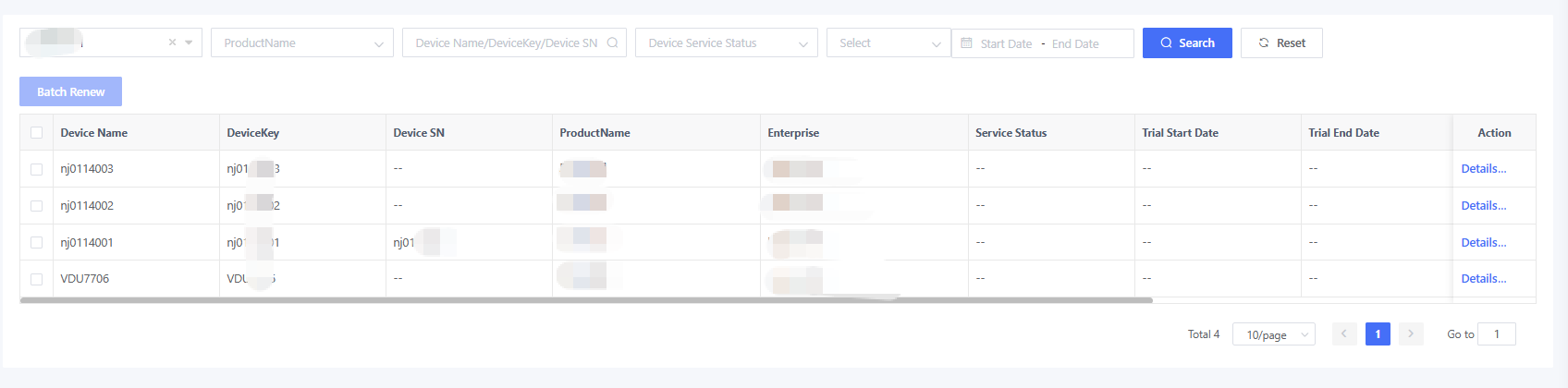
Click “Details” to view the device service details, including device service information, the service package information subscribed to by the device, and renewal information.
8.2.5 Device Service Renewal
Device service renewal indicates extending the service period of a device. For example, if the device service period is 1 year and renewed for another year, the device service period will be extended to 2 years.
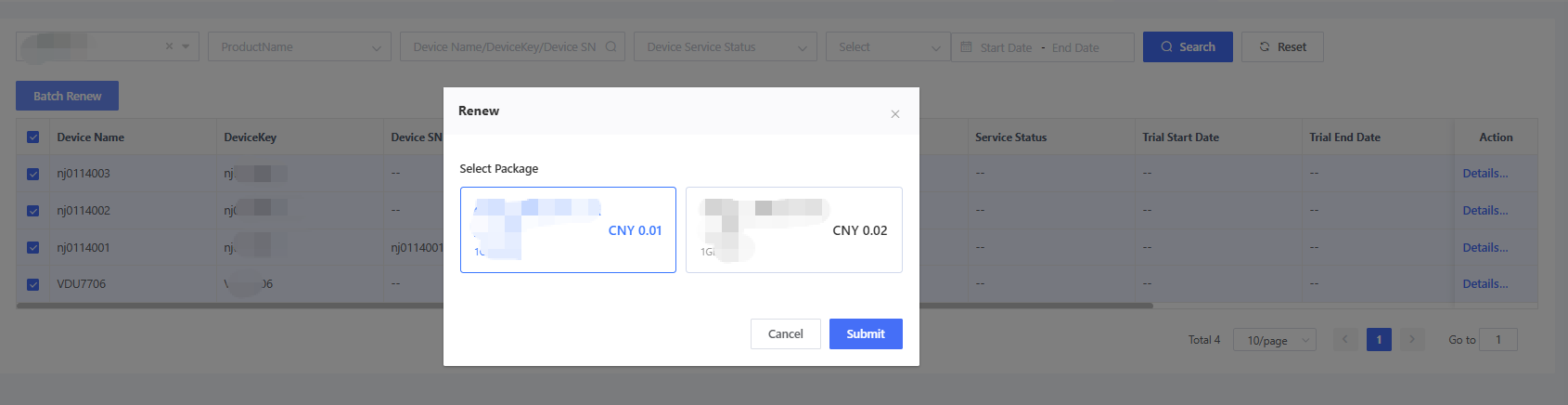
Go to “Plan” > “Device Service”, click “Renew” or select the devices to be renewed and then click “Renew in Batches” to choose the corresponding renewal plan. After successfully scanning the QR code and making the payment, the corresponding devices will be renewed.
8.2.6 Device Service Alert Configuration
The AMP supports monitoring device service duration. On the “System” > “Platform Configuration” page, you can configure device service expiration alerts. This feature is disabled by default. When the feature is enabled, expiration alerts will be triggered 30, 7, and 0 days before service expiration. Currently, only TSL model notifications are supported.
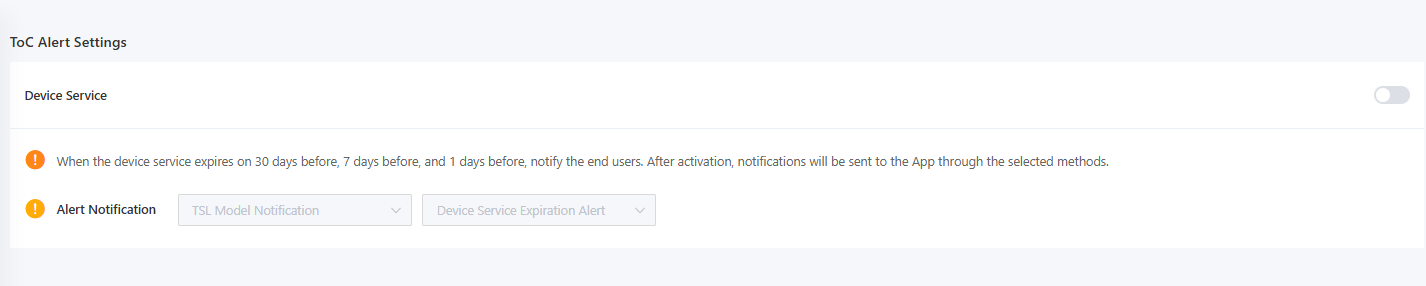
The TSL model of alert notification is as follows:
| Field Name | Type | Description |
|---|---|---|
| q_retain_device_sevice_notice | Struct | Used to notify the service status of the device JSON object: Service name (serviceName): ENUM, 1-SIM service, 2-RTK service, 3-device service Service status (serviceStatus): ENUM, 1-Expire in 30 days, 2-Expire in 7 days, 3-Expire in 1 day |