4. Device Shipment
The standard device shipment workflow:
A subordinate enterprise/terminal merchant places an order → Produce the corresponding batch of devices → Ship devices to the designated enterprise (which gains the device management rights). This process consists of the following key operations:
4.1 Create/Manage Subordinates
Go to the “Enterprise” - “Organization” page.
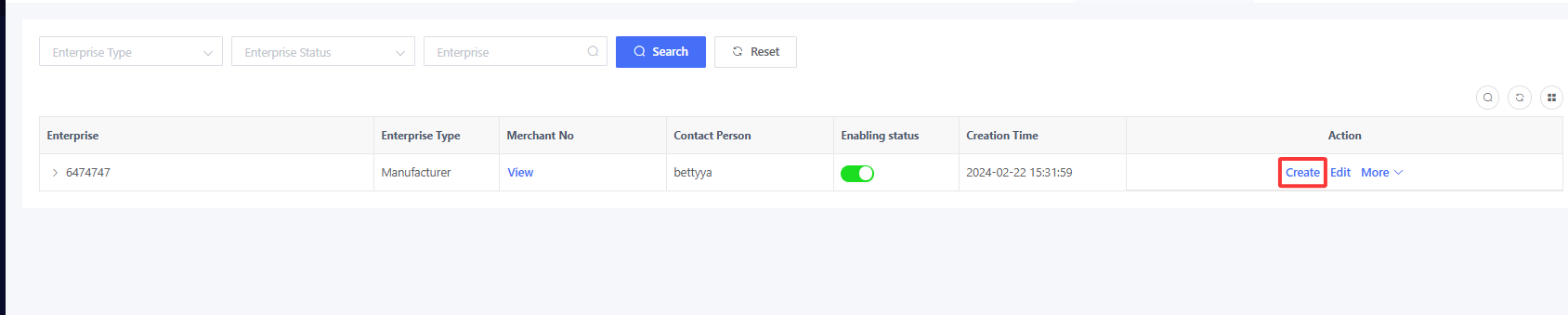
Click “Create” and complete the information in the pop-up window to create a subordinate.
Enterprise Type: System-preset item. To add more options, please contact our sales or AE.
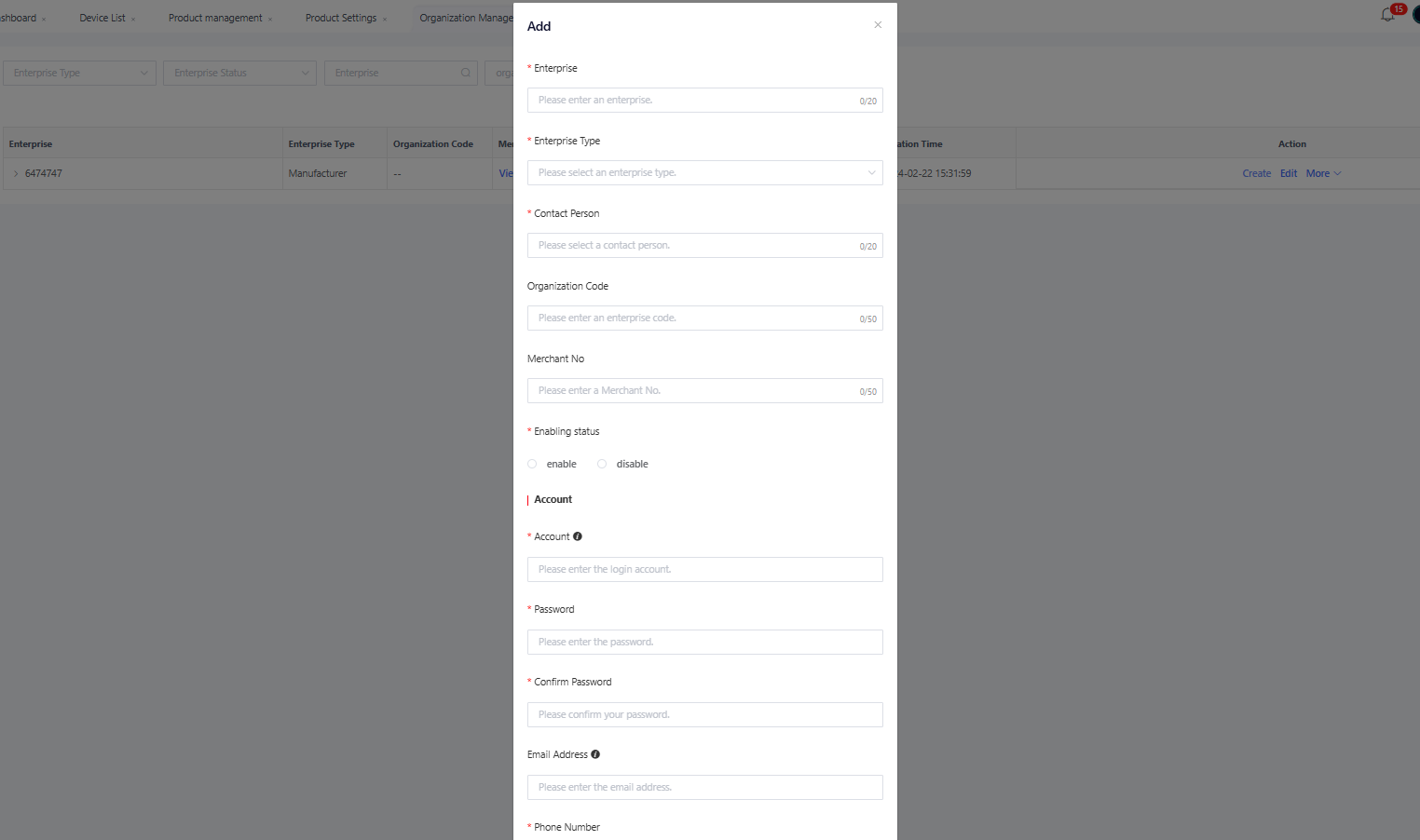
An upper-level enterprise “A” can create a subordinate enterprise “a”, and also assist the enterprise “a” in creating its own sub-enterprises. The “Account” and “Password” entered during enterprise creation will be the primary account for the subordinate enterprise “a”. After logging in with the primary account, the subordinate enterprise “a” can also create sub-accounts for its sub-enterprises.
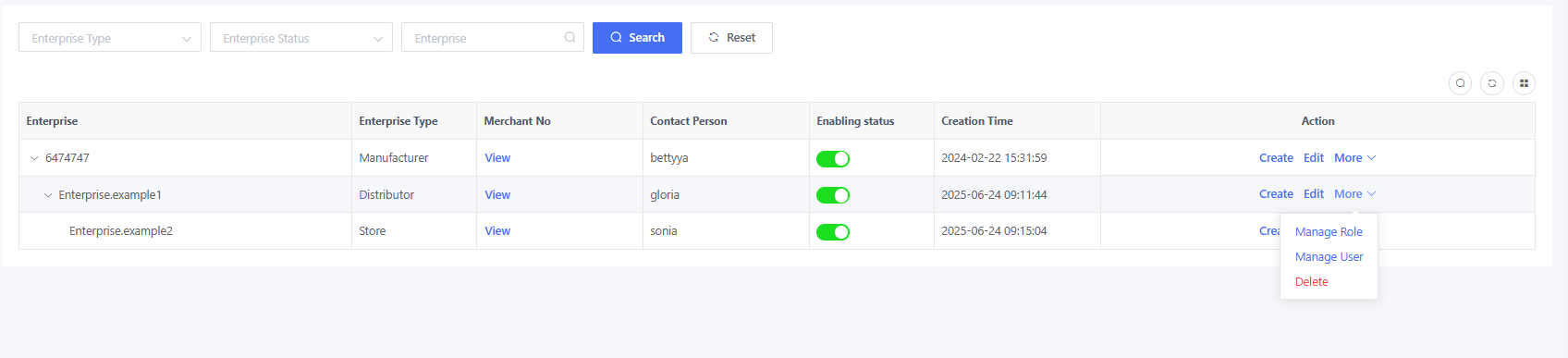
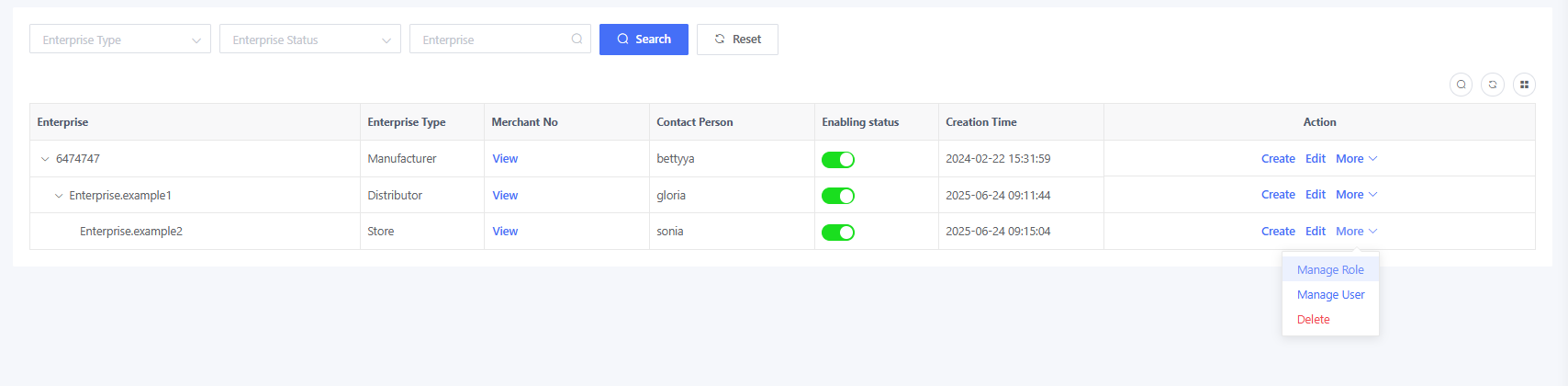
For example, the enterprise “6474747” creates a distributor “Enterprise.example1”. Click “Create” in the “Action” column of the distributor “Enterprise.example1” to create a subordinate enterprise “Enterprise.example2”.
4.1.1. Manage Enterprise Menu Permission
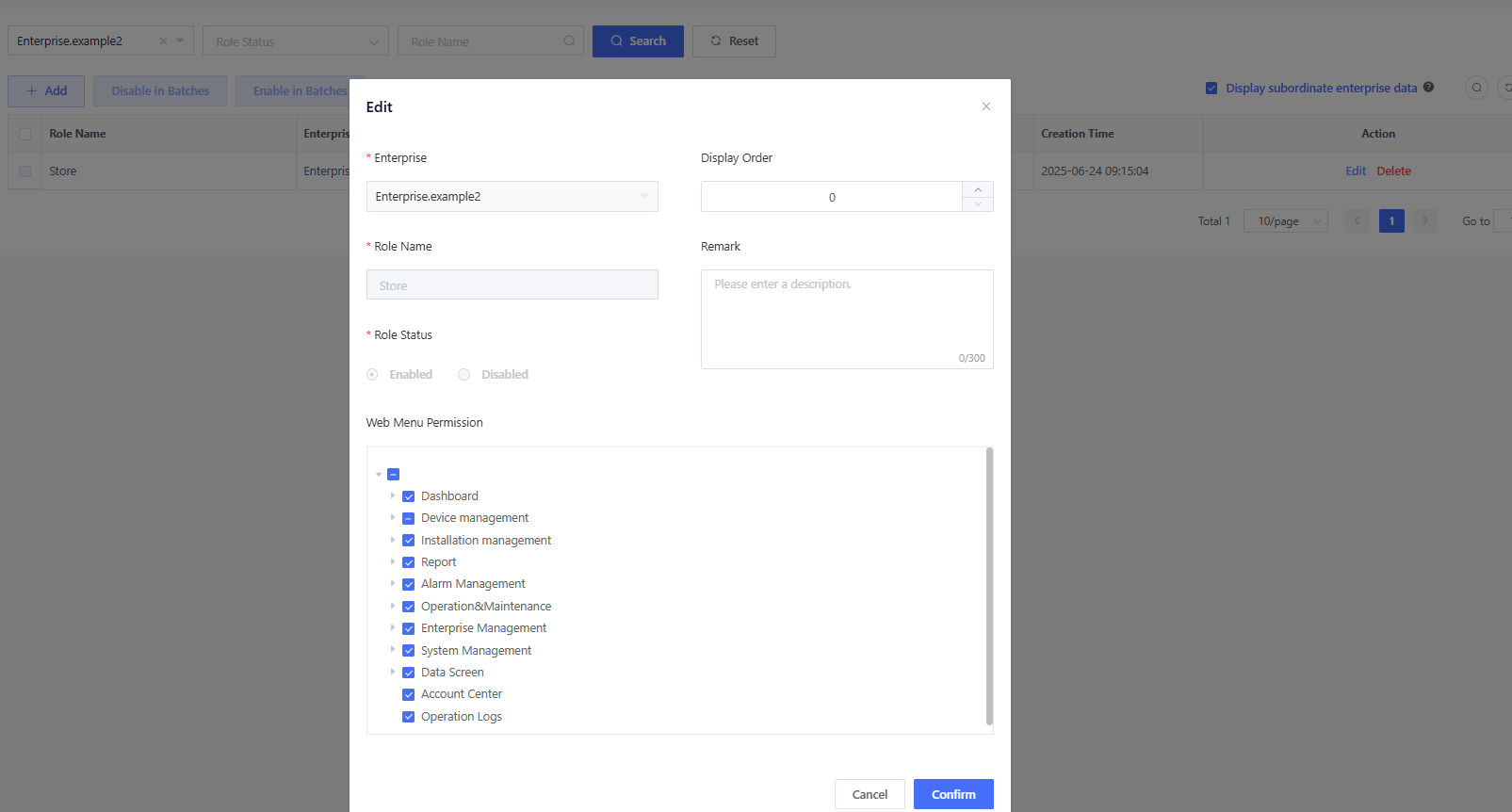
Menu permissions are associated with roles. Click “More” > “Manage Role” to access the role management page for that enterprise.
Click “Edit” and configure the menu management in the “Web Menu Permission” section

4.1.2. Create Sub-account for Enterprises
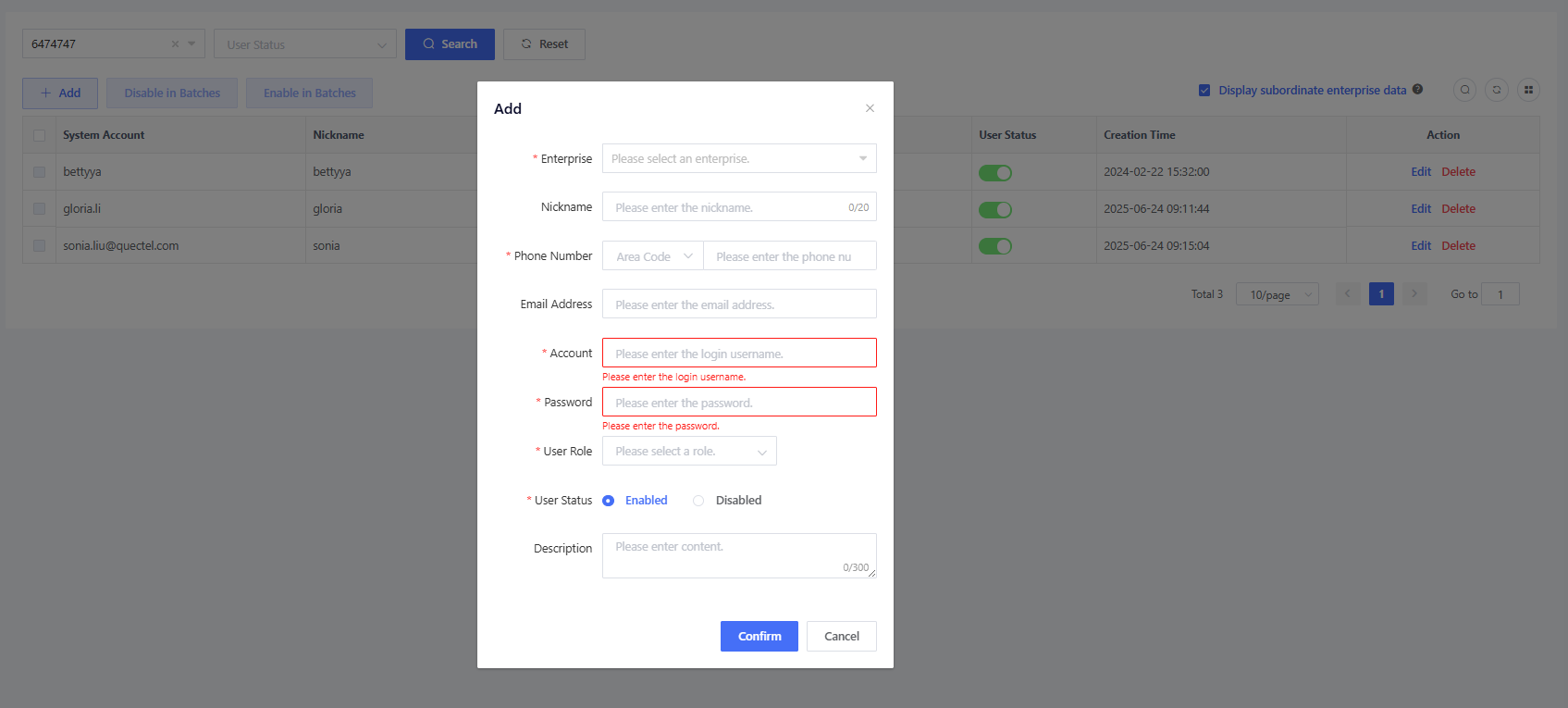
Go to “Enterprise” > “User”, click “Add”, and complete the information. Enterprise: Select the enterprise to which the user belongs. Upper-level enterprises can create sub-accounts for lower-level enterprises. Nickname: Name of the user (e.g., John, Lucy). Phone Number: Area code + phone number. Email Address: Optional. If both phone number and email address are provided, password recovery will prioritize email notifications. Account: Unique login identifier with 6-150 characters in length. An account may contain letters, digits, or characters (.-_@) and cannot start or end with a special character. User Role: A role created in the previous step to assign menu access permissions. User Status: Default to “Enabled”; can be set to “Disabled” if the user is no longer used.