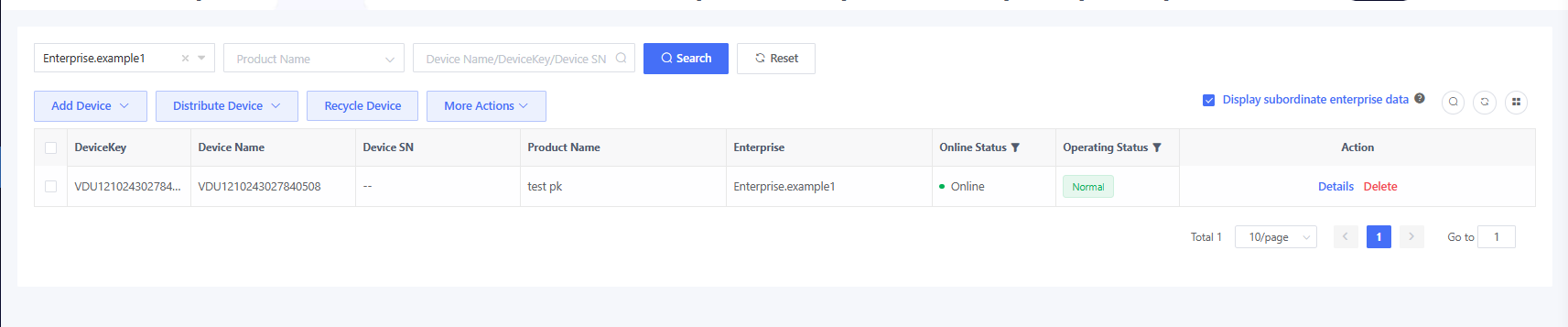
4.3 Distribute Device to Enterprise
After importing devices into the platform, you can distribute them to subordinate enterprises based on sales orders. After the distribution, the subordinate enterprise gains management rights over those devices.
4.3.1 Distribute Devices Manually
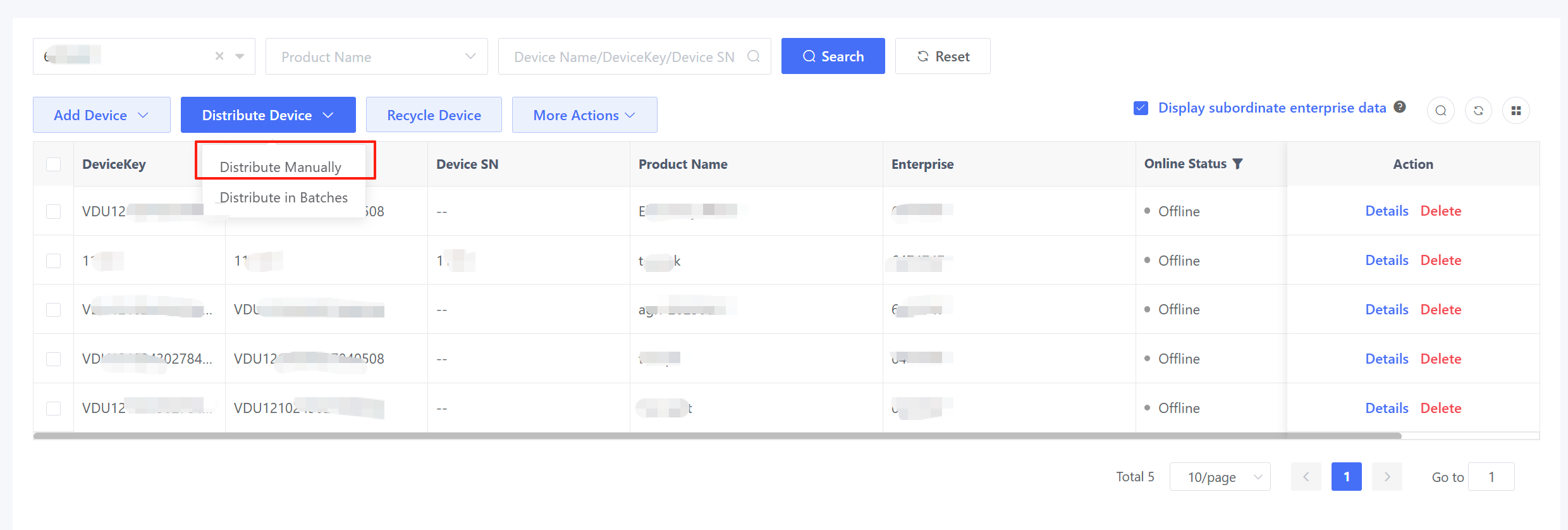
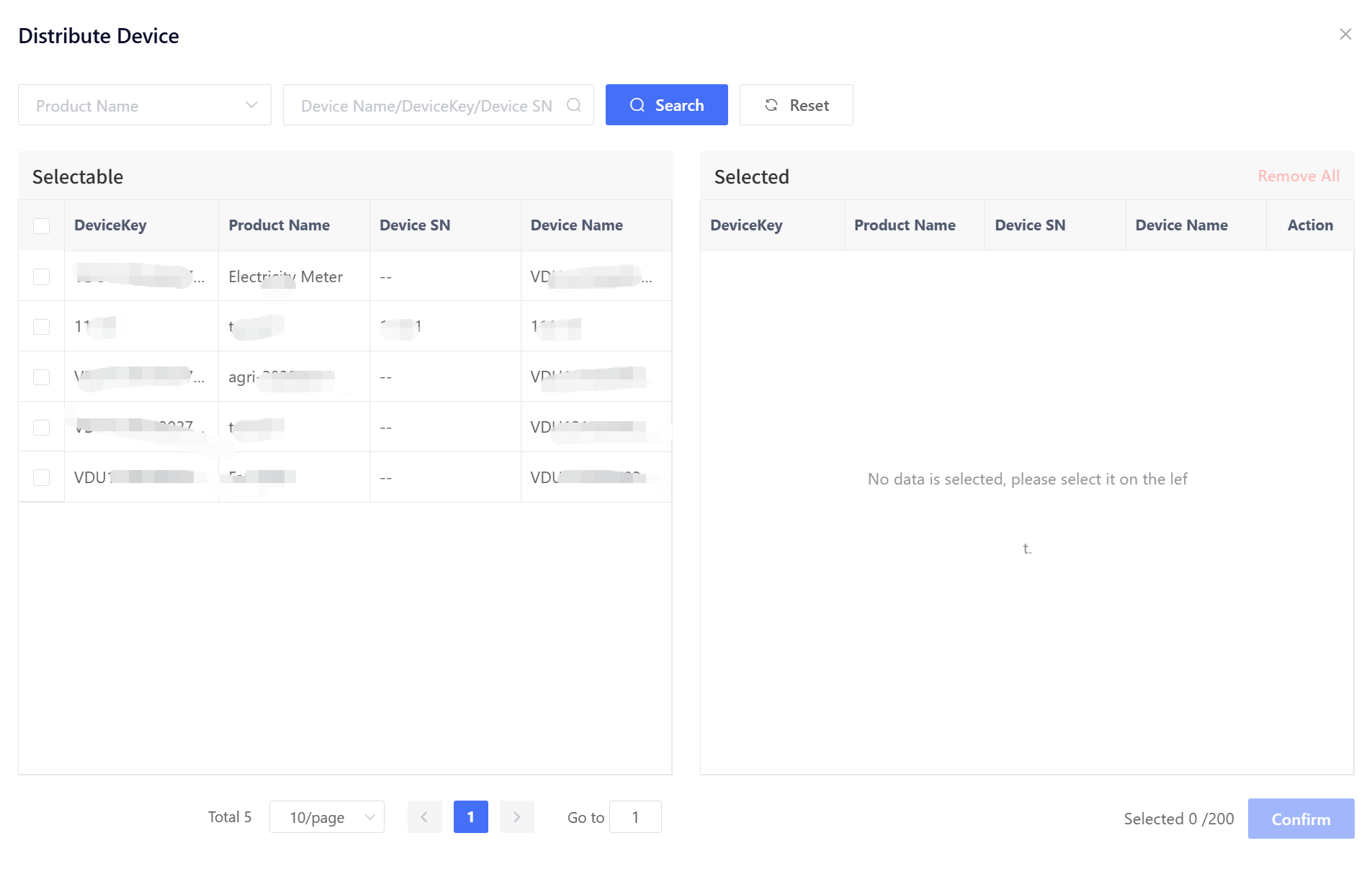
Click “Distribute Device” > “Distribute Manually” to pop up the “Distribute Device” window. Select the devices to be shipped (distributed) and the target enterprise, and click “Confirm” to complete the distribution.

4.3.2 Distribute in Batches
Click “Distribute Device” > “Distribute in Batches” to pop up the “Distribute Device” window. Select the product and the target enterprise, upload the device distribution file, and click “Confirm” to complete the distribution.
The Device Distribution Template is the same as the Device Import Template. Once the sales order and production data are confirmed, you can maintain one device list file and perform both import and distribution sequentially.
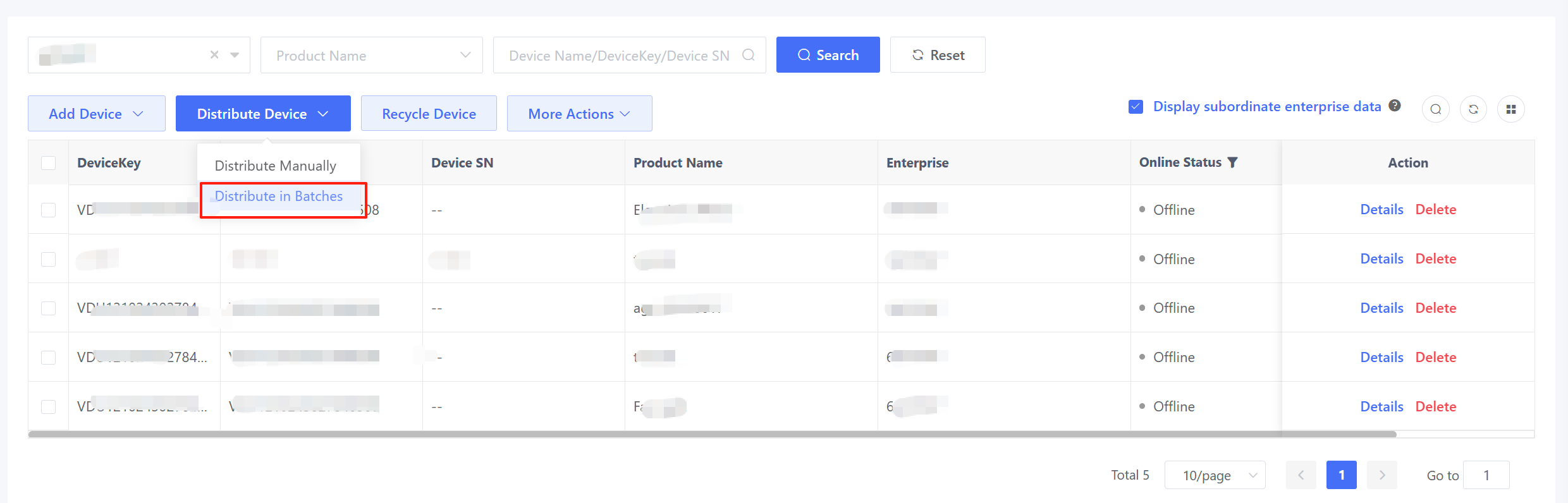
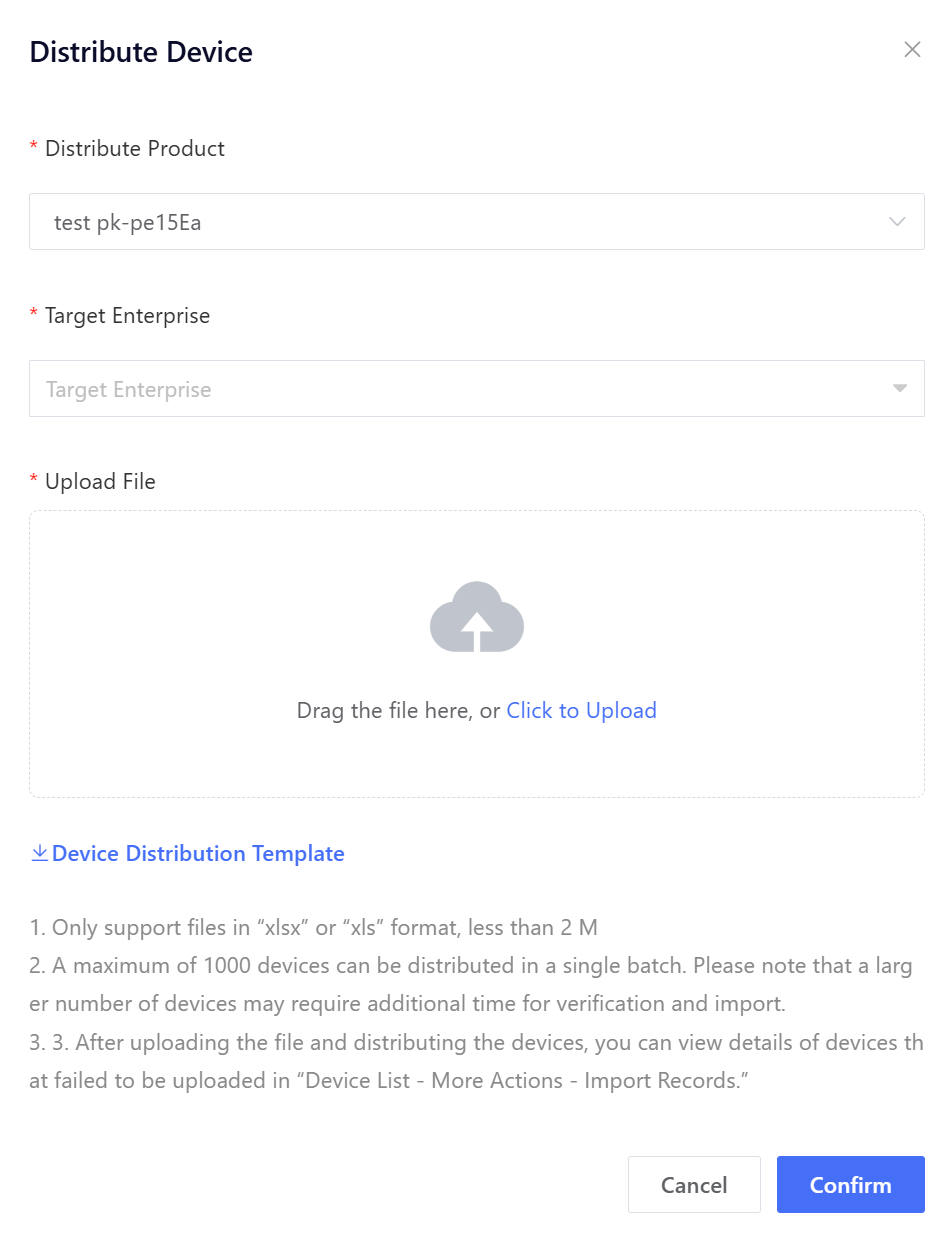
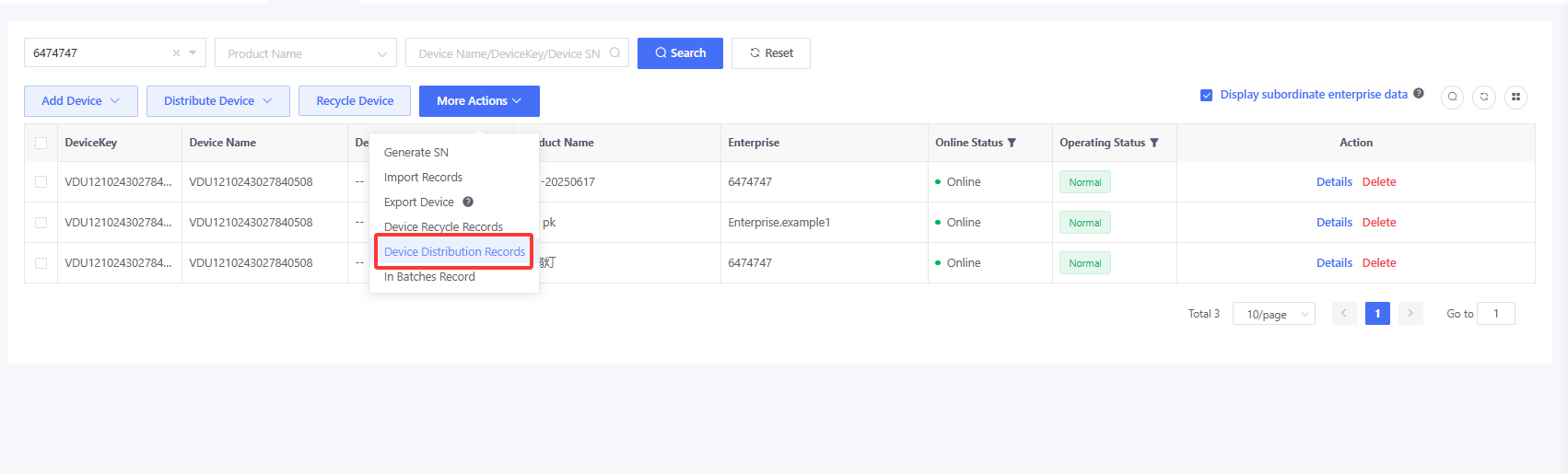
Device distribution is an asynchronous operation, so you can view the specific distribution results in the “Device Distribution Records” window.
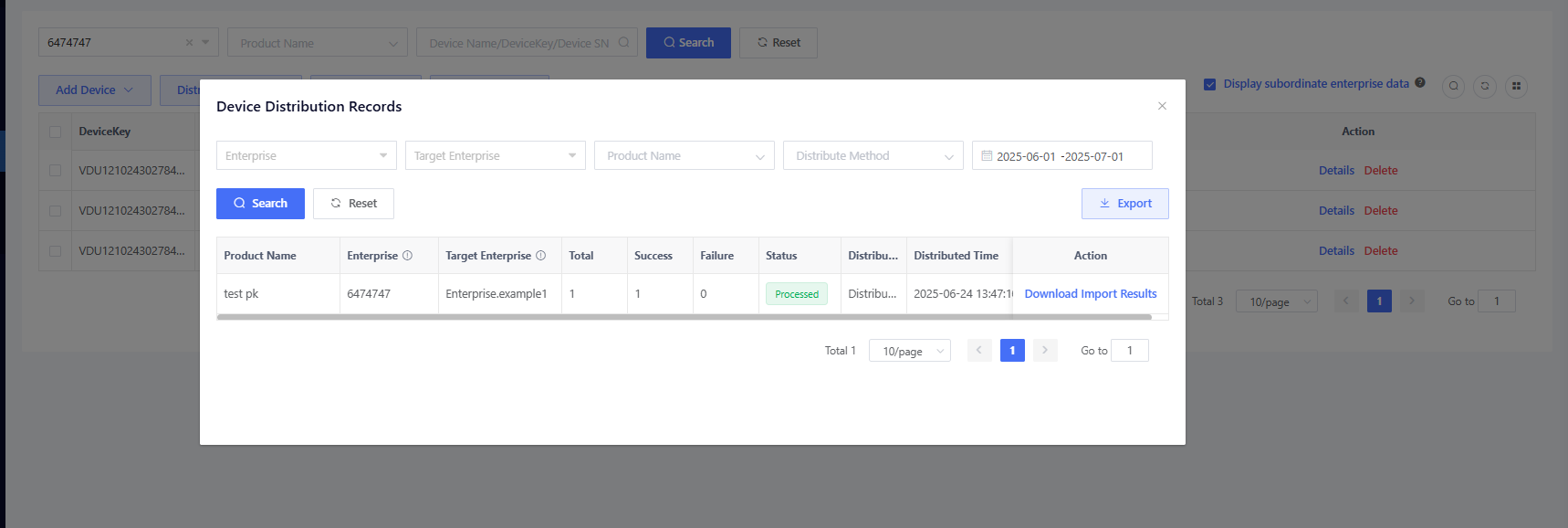
After successful distribution, the subordinate enterprise can log in to AMP and manage the distributed devices.