
4.4 Recycle Device
If a subordinate distributor needs to return devices or if a recall is necessary, the device recycling feature can be used to reclaim devices previously distributed to subordinate enterprises. After recycling, the subordinate enterprise will no longer have management rights over these devices.
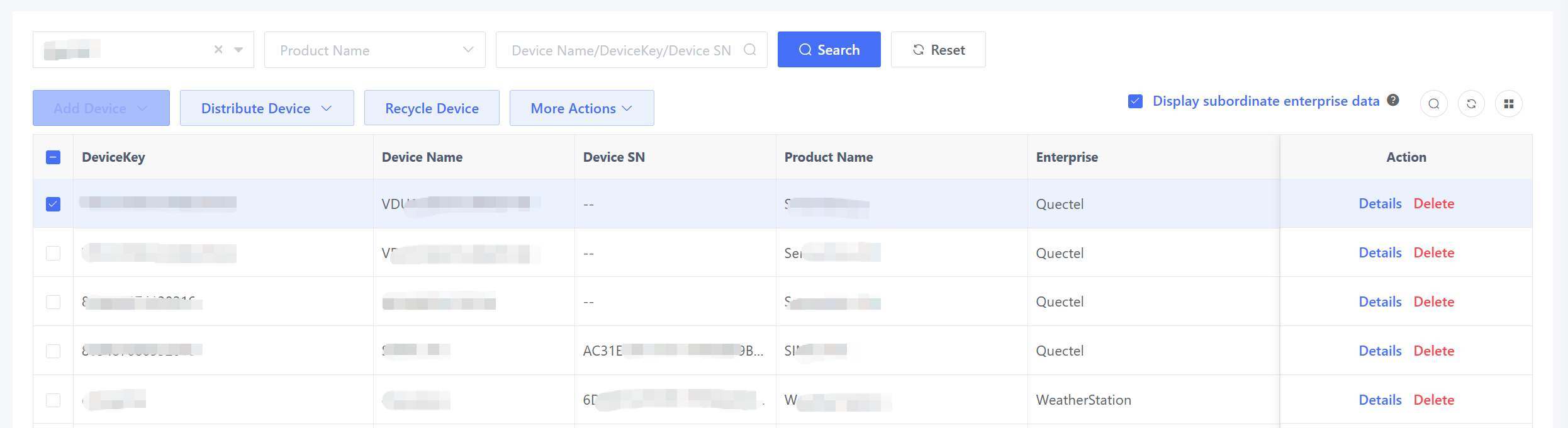
In the example below, the highlighted device has already been distributed to Enterprise.example1. To recycle the device, click “Recycle Device” and select “Enterprise.example1”, and the system will display all devices previously distributed to the enterprise.
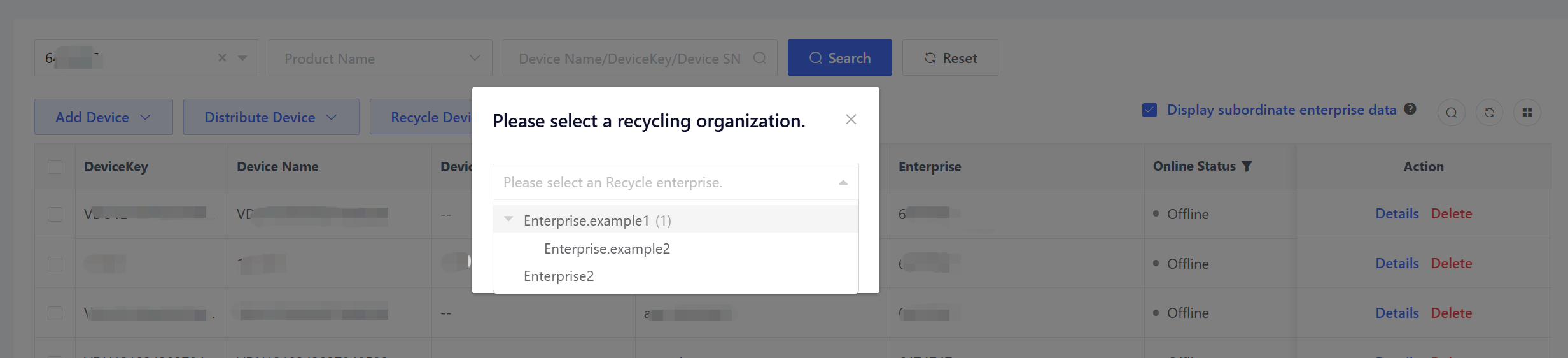
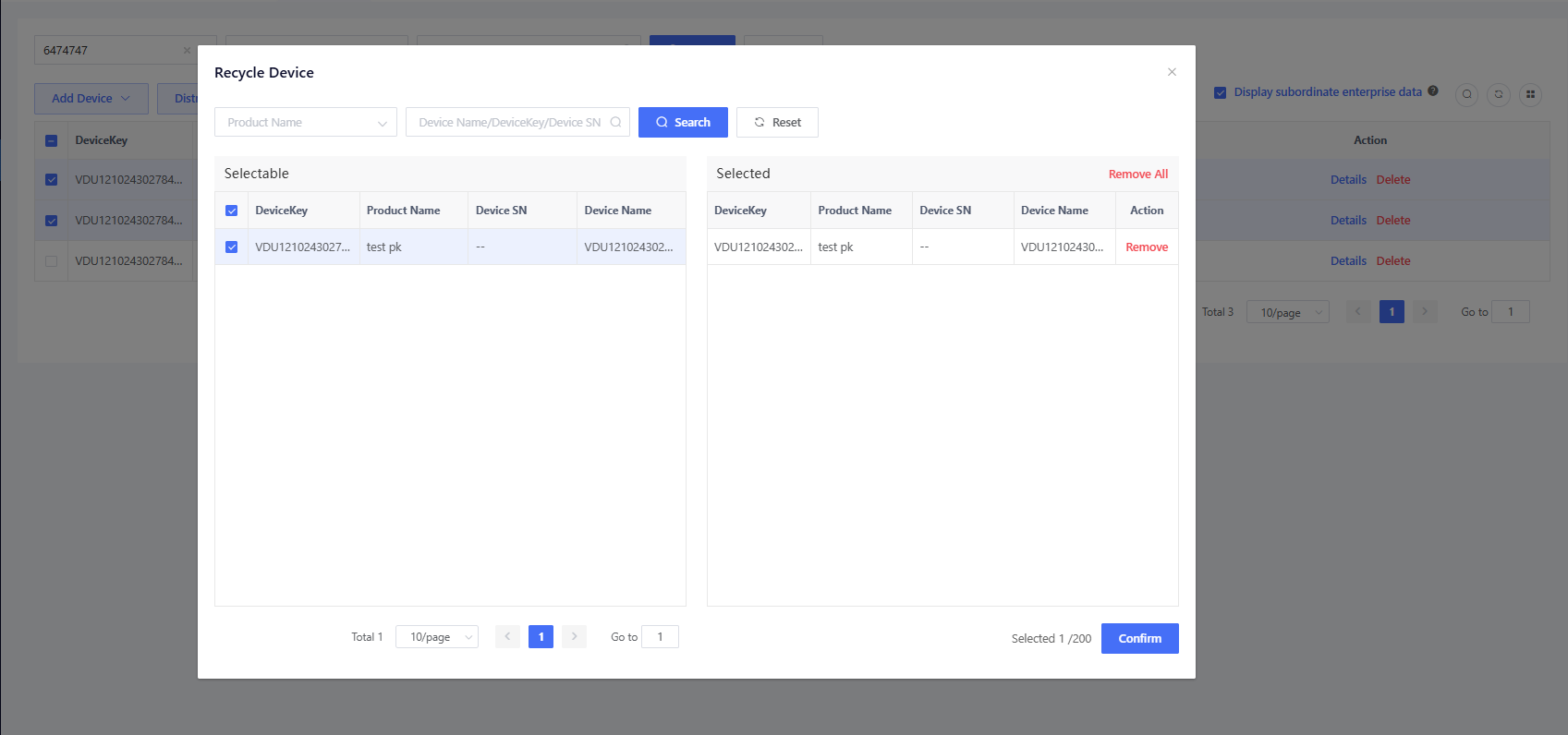
Select the device you want to recycle and click “Confirm” to finish the device recycling. Device recycling is an asynchronous operation, so you can view the specific recycling results in the “Device Recycle Records” window.
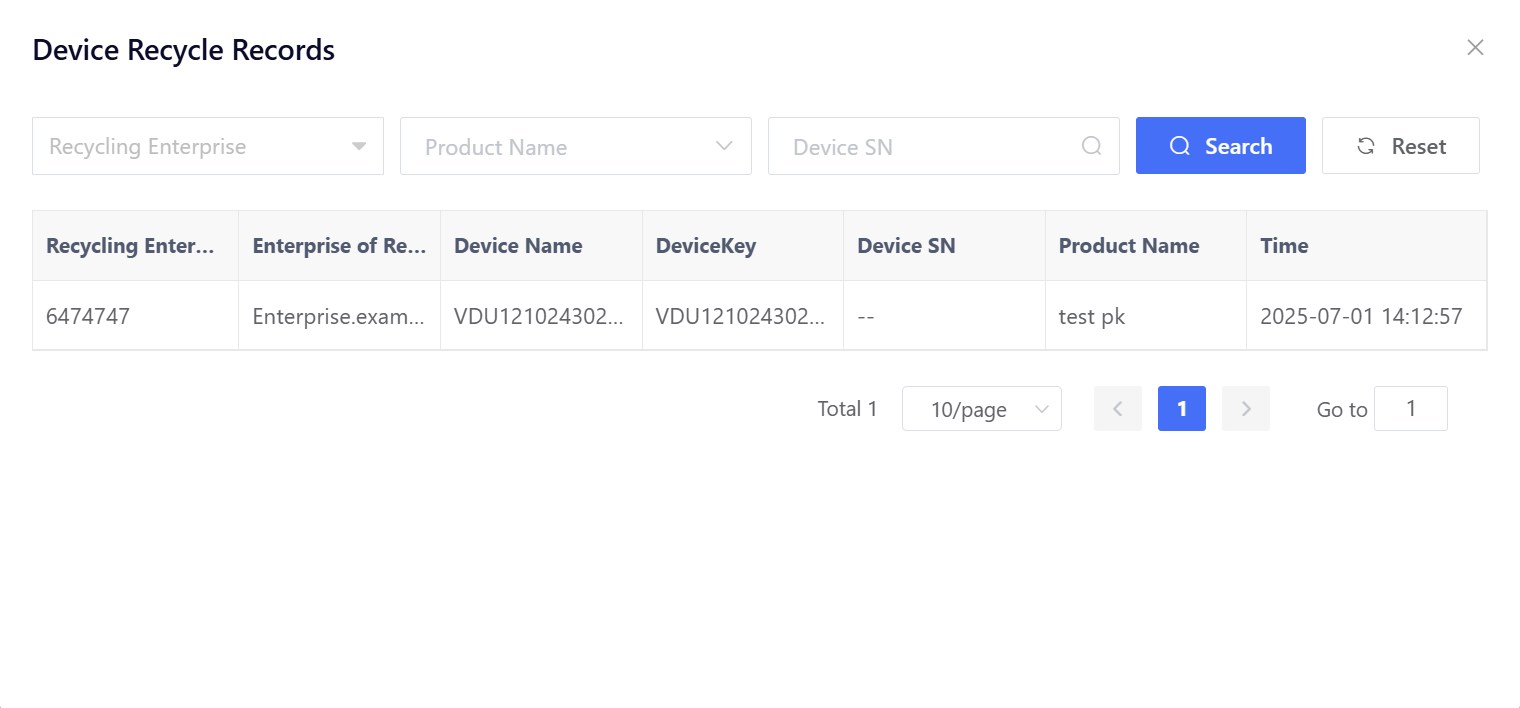
After successful recycling, the device ownership will change from “Enterprise.example1” back to “6474747”. The Enterprise.example1 will no longer be able to manage the device.
