
6.3 Geofence
For scenarios where device usage needs to be restricted to specific geographic areas, you can use a geofence to monitor device locations.
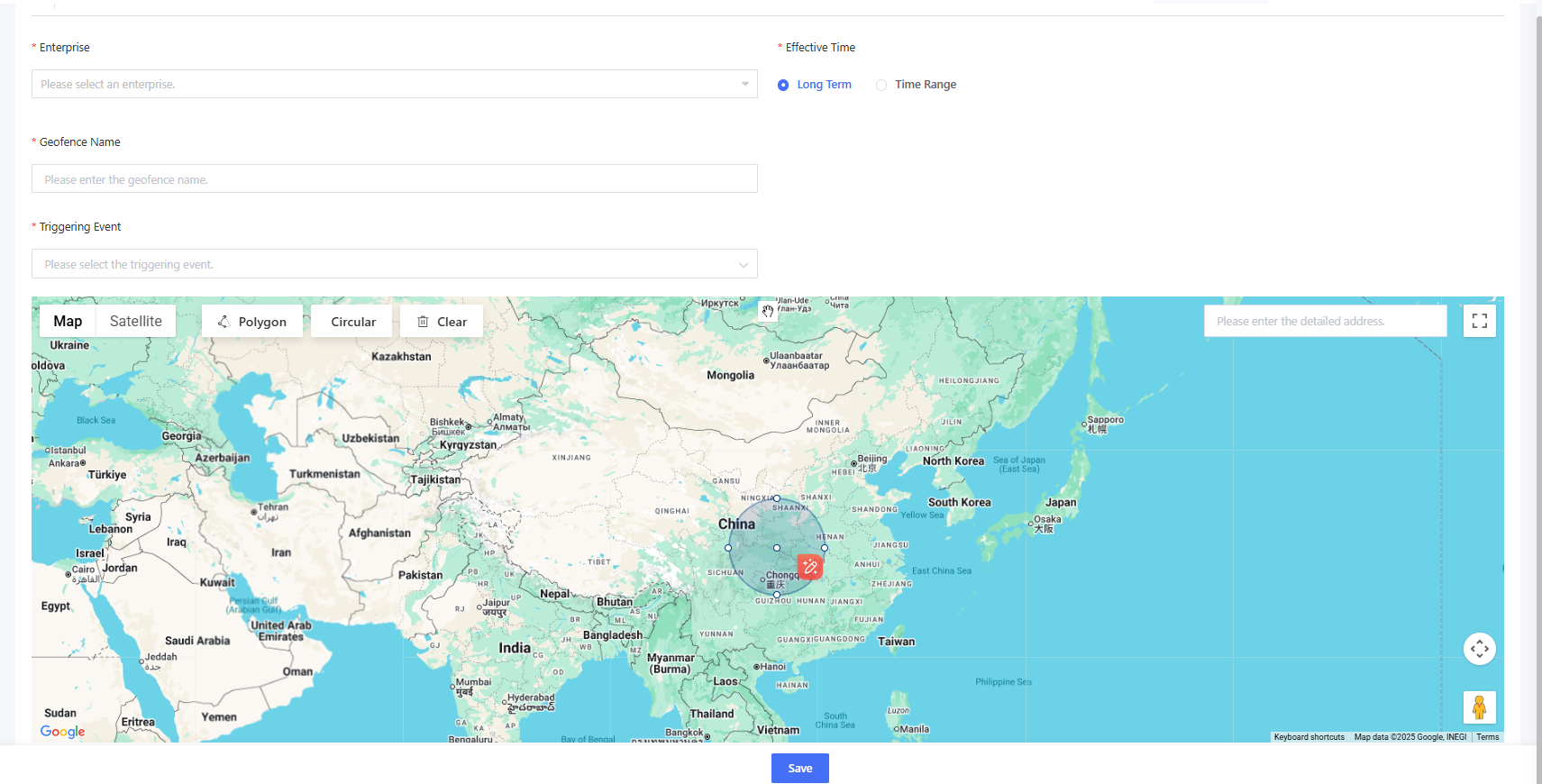
Click “Add” to enter the geofence adding page. Select the enterprise to which the geofence belongs, set the effective time of the geofence, enter the geofence name and triggering events, draw the boundary of the geofence, and click “Save”.
Triggering events include:
- Exit Event: An alert notification is triggered when the device leaves the geofence area. This is used in scenarios where the device is restricted to operate within a defined area.
- Enter Event: An alert notification is triggered when the device enters the geofence area. This is used in scenarios where entry into a specific area is prohibited.
- Enter/Exit Event: An alert notification is triggered when the device either enters or exits the geofence area.
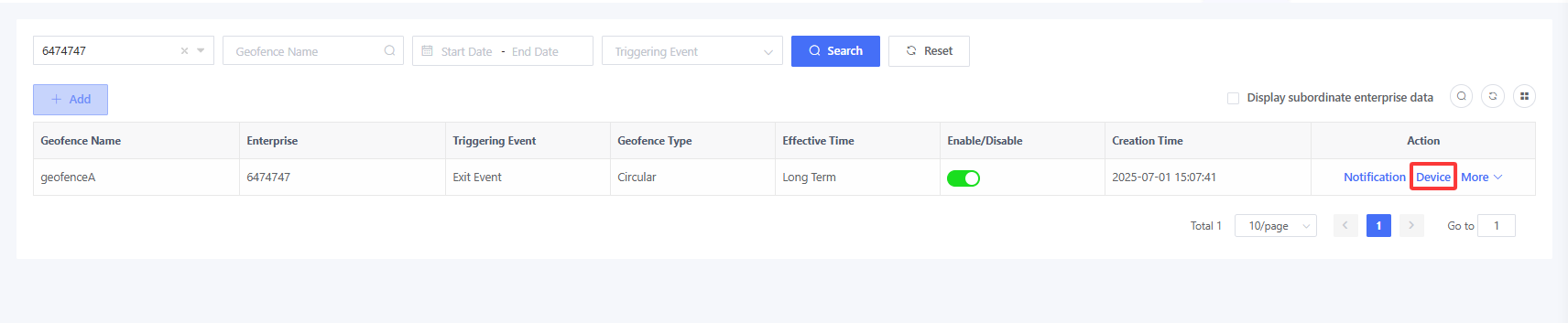
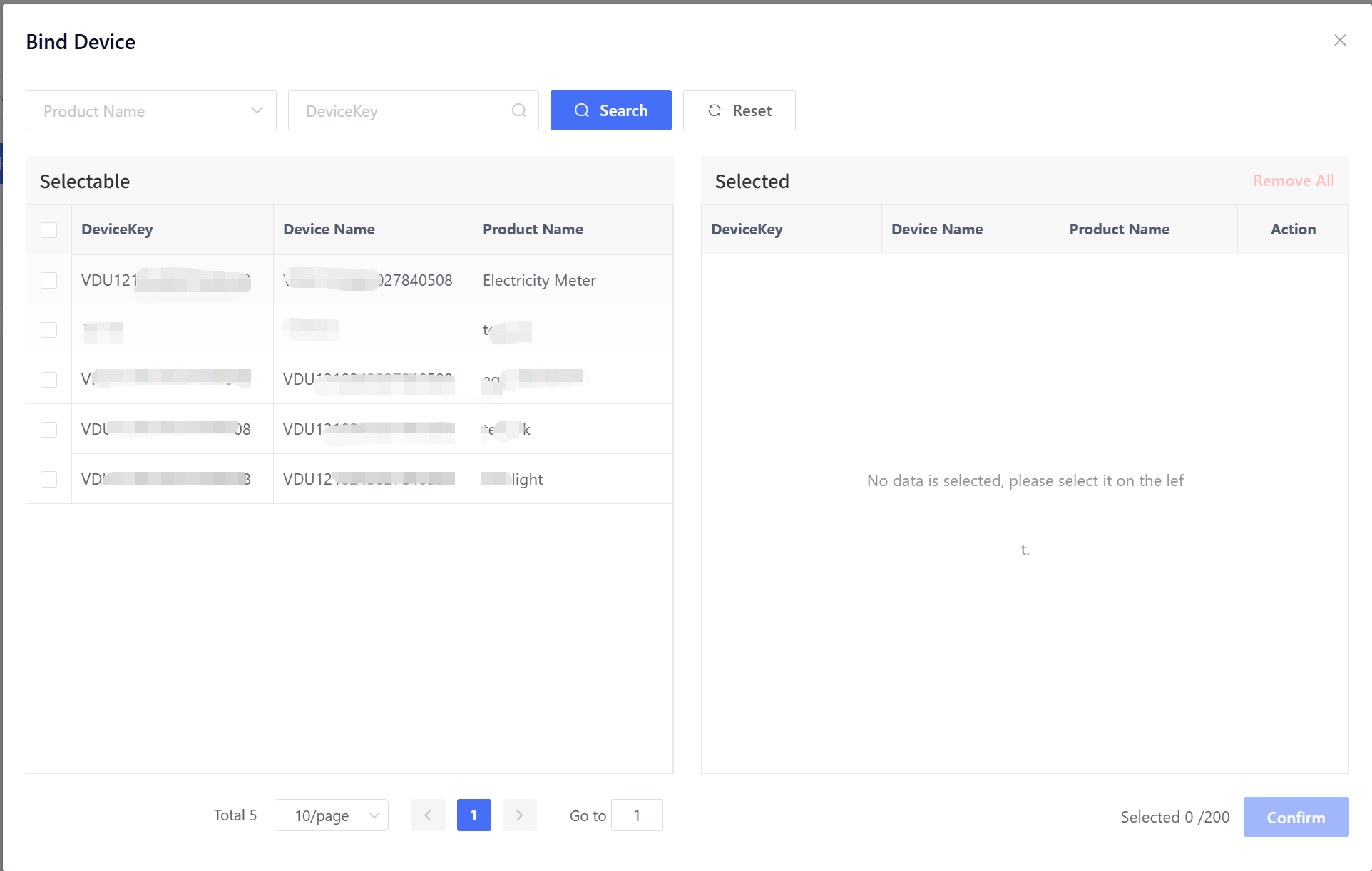
After creating the geofence, click “Device” to bind devices that are subject to this geofence. When bound devices trigger an enter/exit event, an alert will be generated.
Click “Notification”, select the notification method and contact person, and click “Confirm” to save the configuration. When a bound device triggers a geofence event, the system will notify the corresponding contact person via the selected method. The contact person must be added in advance under Alarm - Alarm Contact.