6.4 Scene Linkage
Scene linkage is used to associate one or multiple devices based on specific trigger conditions and execution actions, enabling scenarios such as device control or alert notifications when a device (or a specific property of the device) meets the trigger condition.
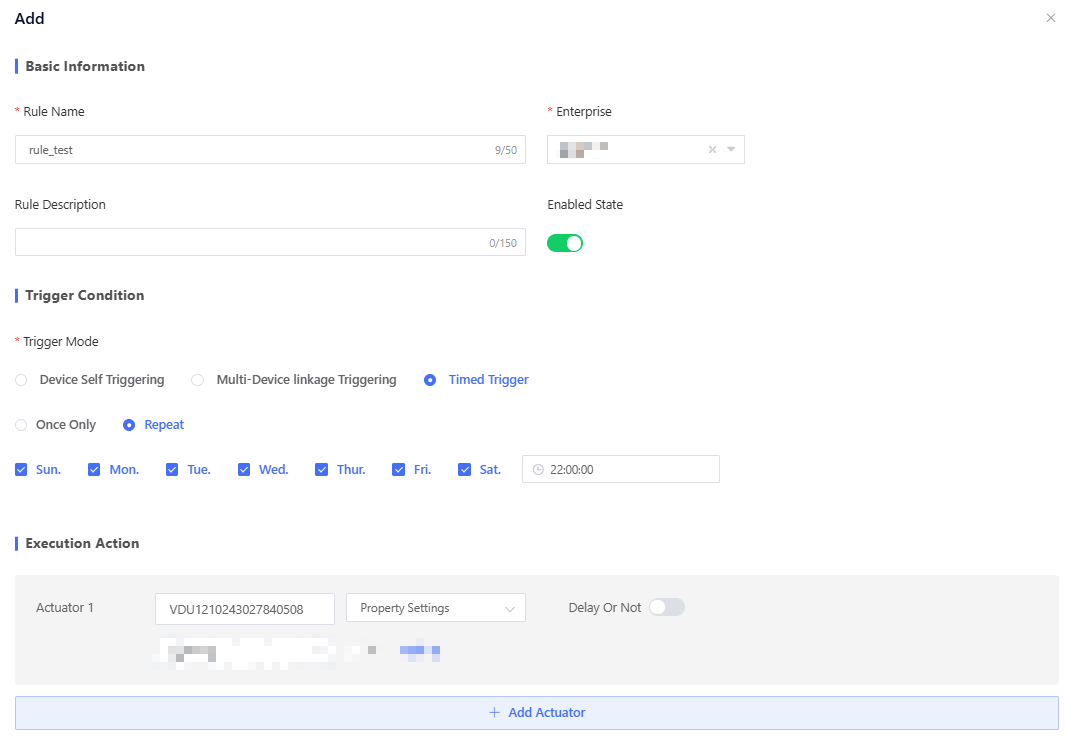
Click "New Rule" to pop up the scene linkage rule adding window and fill in the parameters, including rule name, enterprise, rule description, trigger condition and execution action.
Trigger Condition: The condition to trigger the linkage rule, including “Device Self Triggering”, “Multi-device Linkage Triggering”, and “Timed Triggering”. Triggering Logic: If two or more triggers are added, you can select between the following matching rules.
- "Matches any of the following triggers": The rule will be triggered if any one of the configured triggers is met.
- "Matches all of the following triggers": The rule will only be triggered if all configured triggers are met simultaneously.
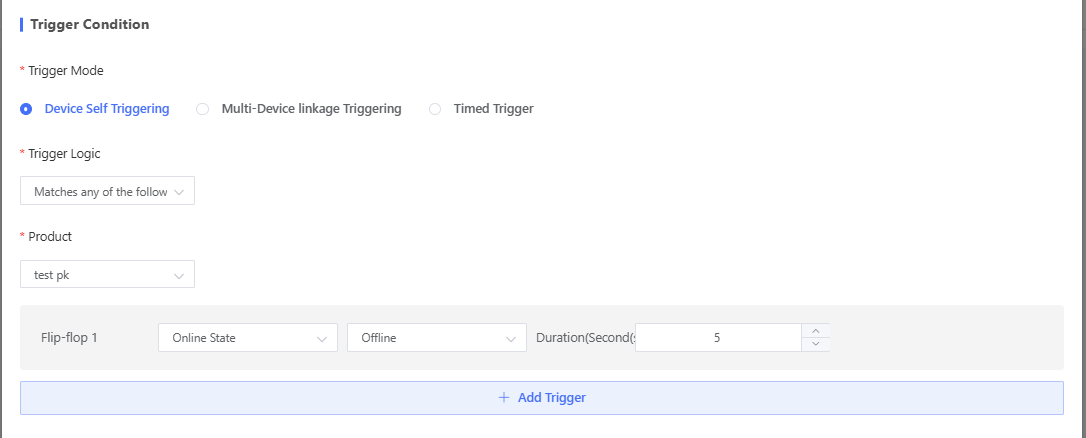
Execution Action: Actions that should be taken if the trigger condition is met, including property setting and alert sending. Execution Frequency:
- Single Execution: The action will only be executed once and then be deleted after the triggering condition is met.
- Merge Execution: The action will only be executed once in the specified period when the triggering conditions are met.
- Continuous Execution: The action will be executed every time the triggering condition is met.
Delayed Execution: After you enable delay execution and set the delay time, if the device goes offline after meeting the condition, the system caches the execution command. If the device comes back online within the delay time, the command will be sent to the device for execution.
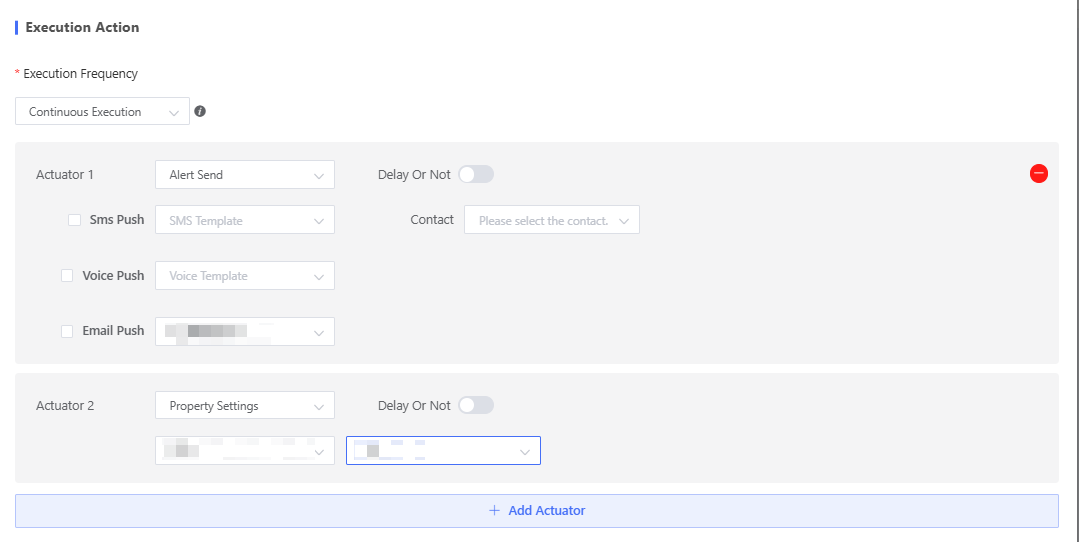
Rule examples by scenario and trigger type:
6.4.1 Device Self Triggering
Device Self Triggering: Configure a trigger condition for a product. When a device under that product reports properties, events, or online/offline status that meet the trigger logic, the rule is triggered.
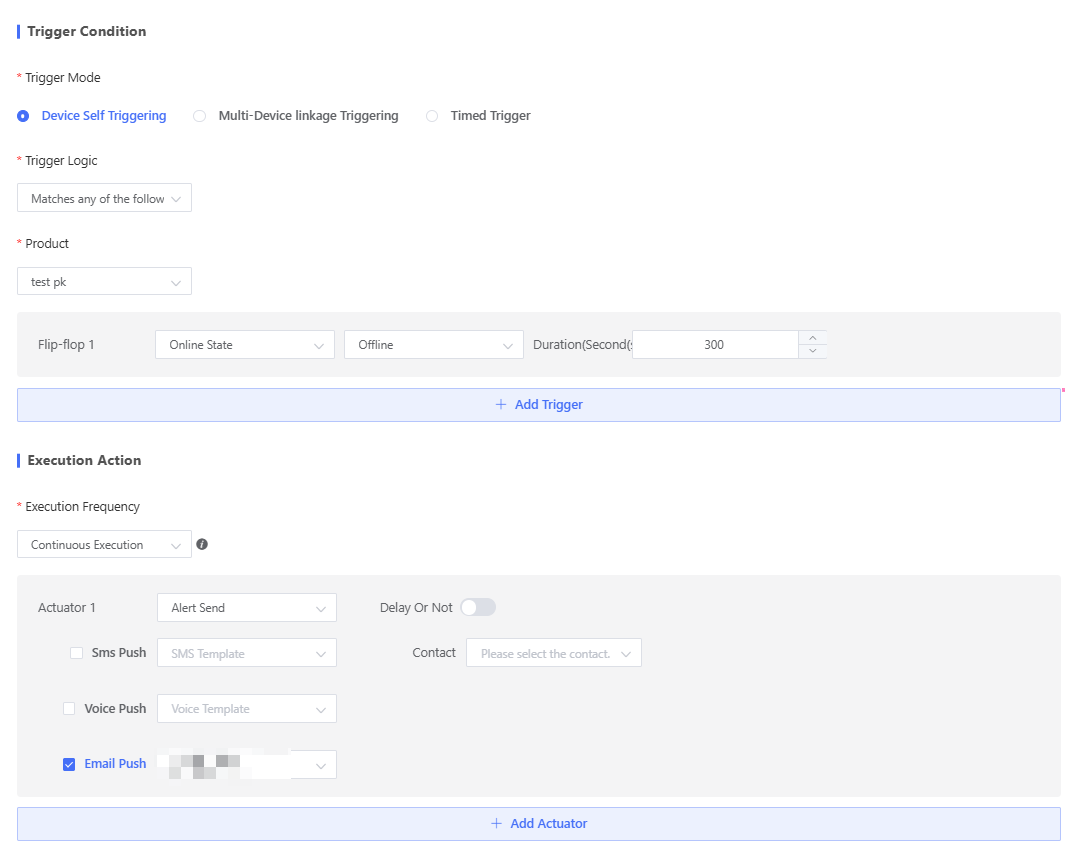
For example, send an email notification if a device stays offline for more than 5 minutes The configured rule would be:
Trigger Mode: "Device Self Triggering". Trigger: "Online State" - "Offline" - "300". Execution Frequency: "Continuous Execution". Actuator: “Alert Send” - "Email Push".
6.4.2 Multi-device Linkage Triggering
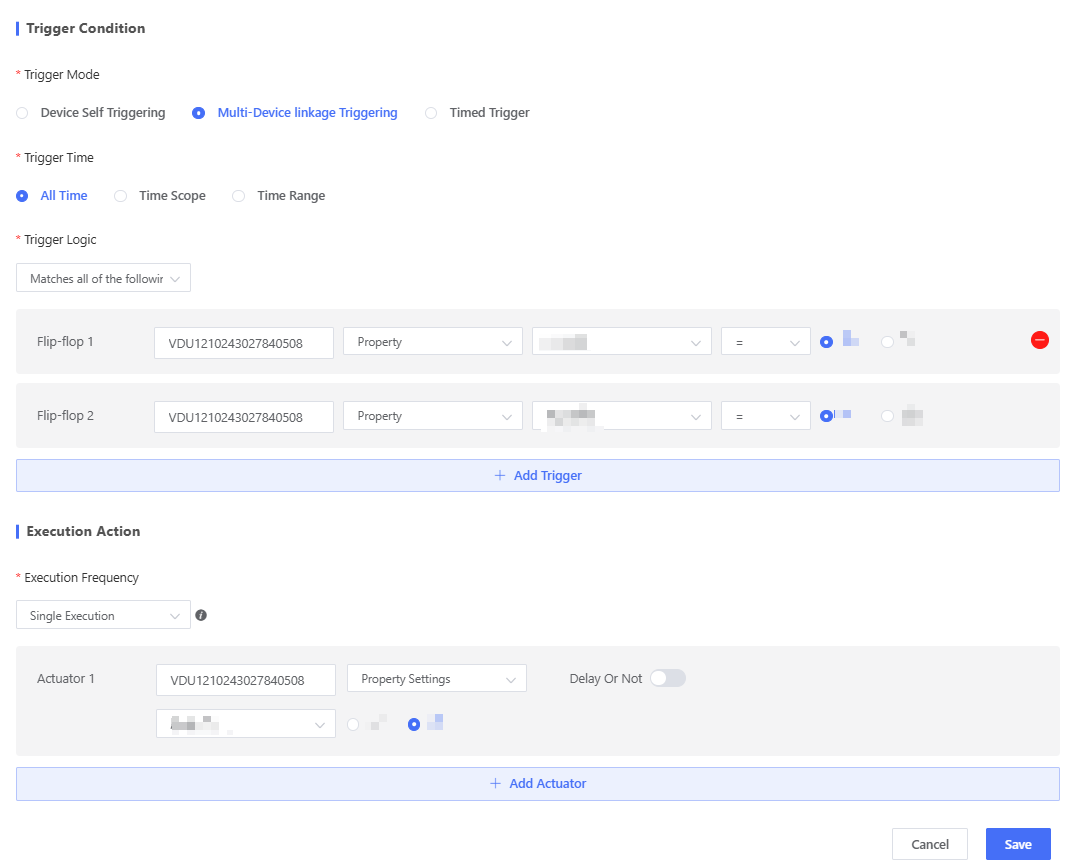
Multi-device Linkage Triggering: Configure device-level trigger conditions. Custom time periods are supported. For example, the rule is triggered when both Device A and Device B meet their respective conditions.
For example, turn off Device B's fan when Device A is on and Device B's light is on. The configured rule would be:
Trigger Mode: "Multi-device Linkage Triggering".
- Trigger 1: "Device A" - "Device Turn-On/Off" - "On".
- Trigger 2: "Device B" - "Light Turn-On/Off" - "On".
Execution Frequency: "Single Execution". Actuator: "Device B" - "Property Settings" - "Fan Turn-On/Off".- "Off".
6.4.3 Timed Triggering
Timed Triggering: Configure a timed trigger condition. "Once Only" or "Repeat" is supported.
For example, turn off the device’s fan at 10 PM every day. The configured rule would be:
Trigger Mode: "Timed Triggering" - "Repeat" - "Mon. to Sun." - "22:00:00". Actuator: "Device" - "Property Settings" - "Fan Turn-On/Off." - "Off".