7.3 Ticket Request
In addition to transferring the fault alert to a ticket, AMP also supports the proactive creation of device tickets to provide active maintenance services for users.
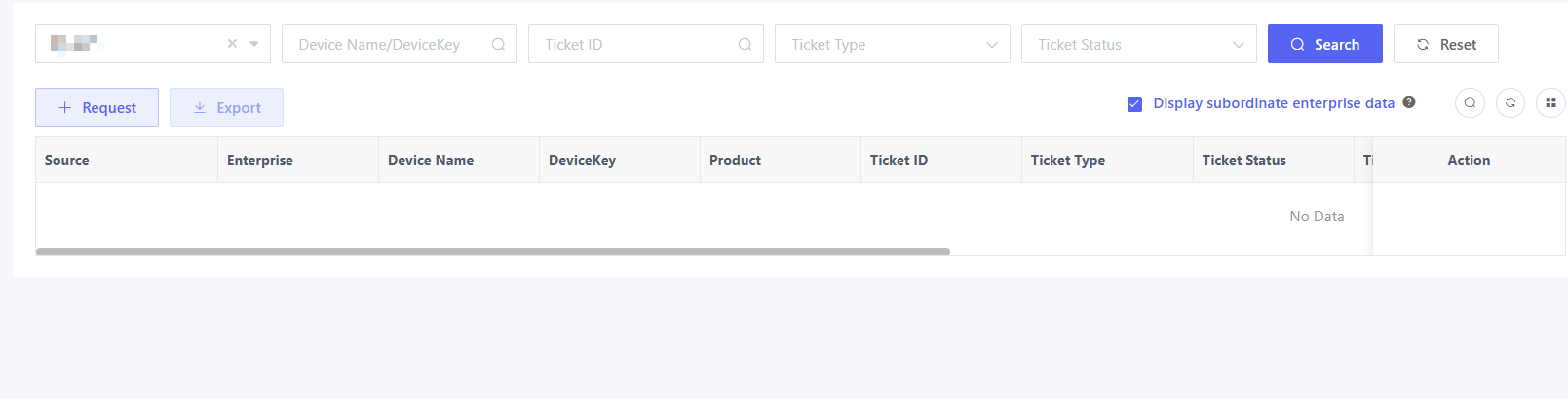
In the "Operation & Maintenance" > "Device Maintenance" page, click "Request" and the ticket request pop-up window will be displayed.
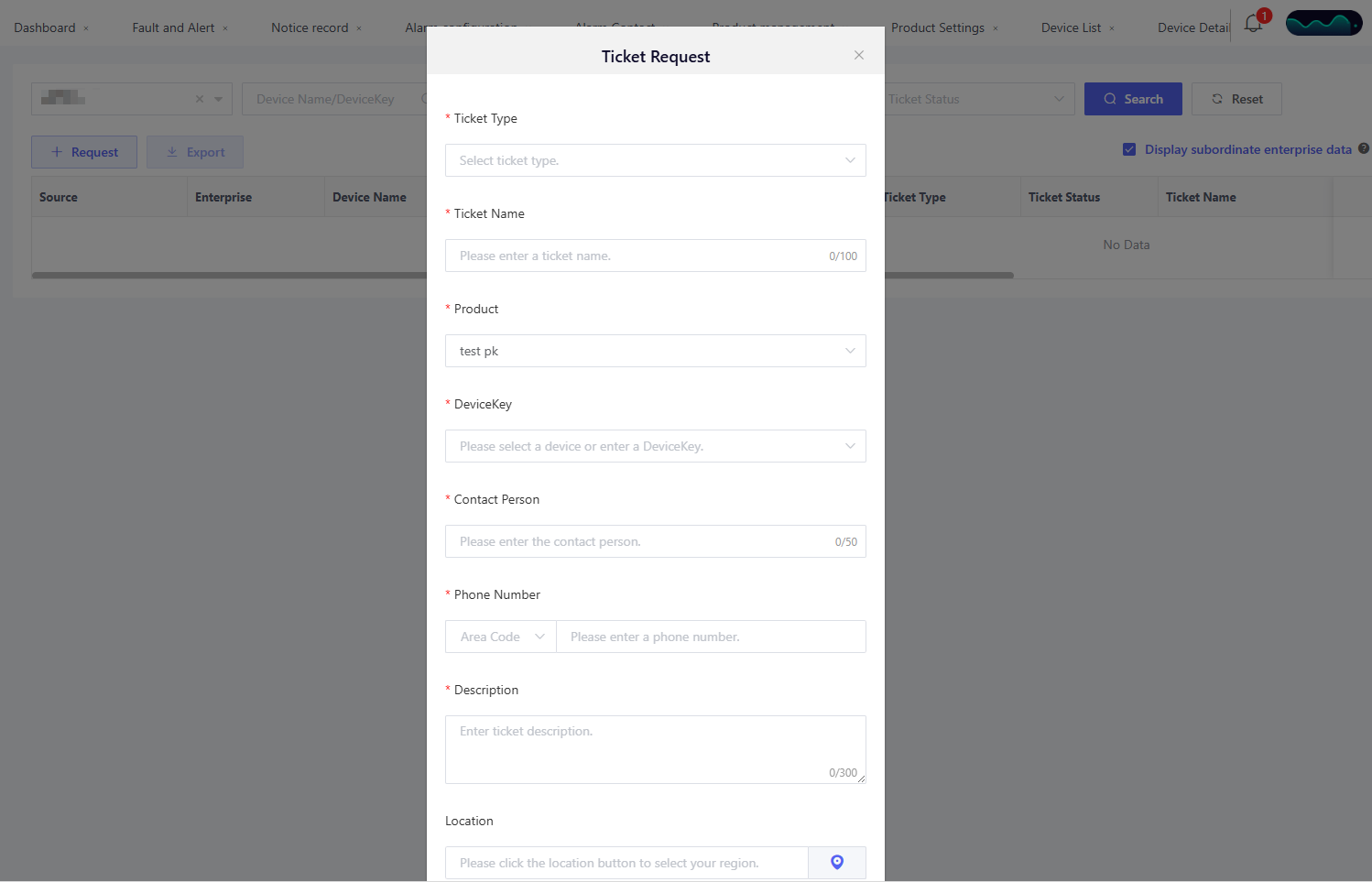
The request ticket information required includes:
Ticket Type: Includes Routine Maintenance, Device Alert, Device Installation, etc. You can select based on the actual scenario. Ticket Name: Identifies the purpose of the ticket, e.g., 2025 Routine Maintenance. Product and DeviceKey: Select the device product name and DeviceKey for maintenance or installation. Contact Person & Phone Number: Contact person filing in the execution ticket, typically the device user information. Description: Describes the tasks to be completed in the ticket. Location & Detailed Address: Optional, fill in where the device is located. Maintenance Date: The time scheduled in the ticket for on-site service. Upload Image: Uploads images related to the device fault or alert.
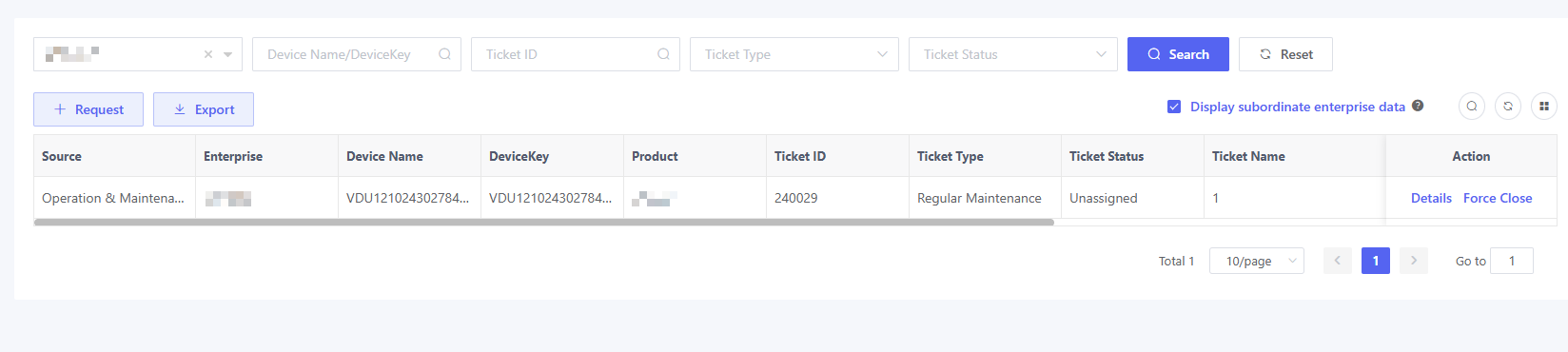
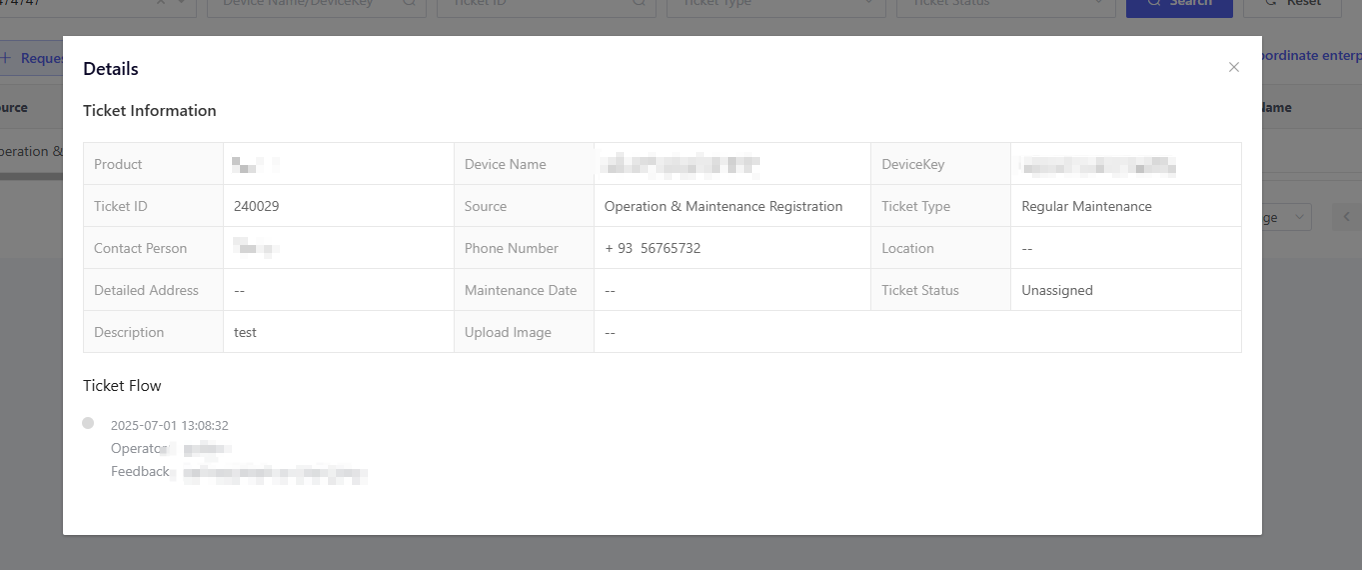
After confirmation, a new ticket record will be generated in the "Operation & Maintenance" > "Ticket" module. Click "Details" to view specific ticket information.