7.4 Ticket Processing
Ticket processing includes Assign Ticket, Force Close, Resolve Ticket, and Reassign Ticket. The process is explained as follows.
7.4.1 Assign Ticket
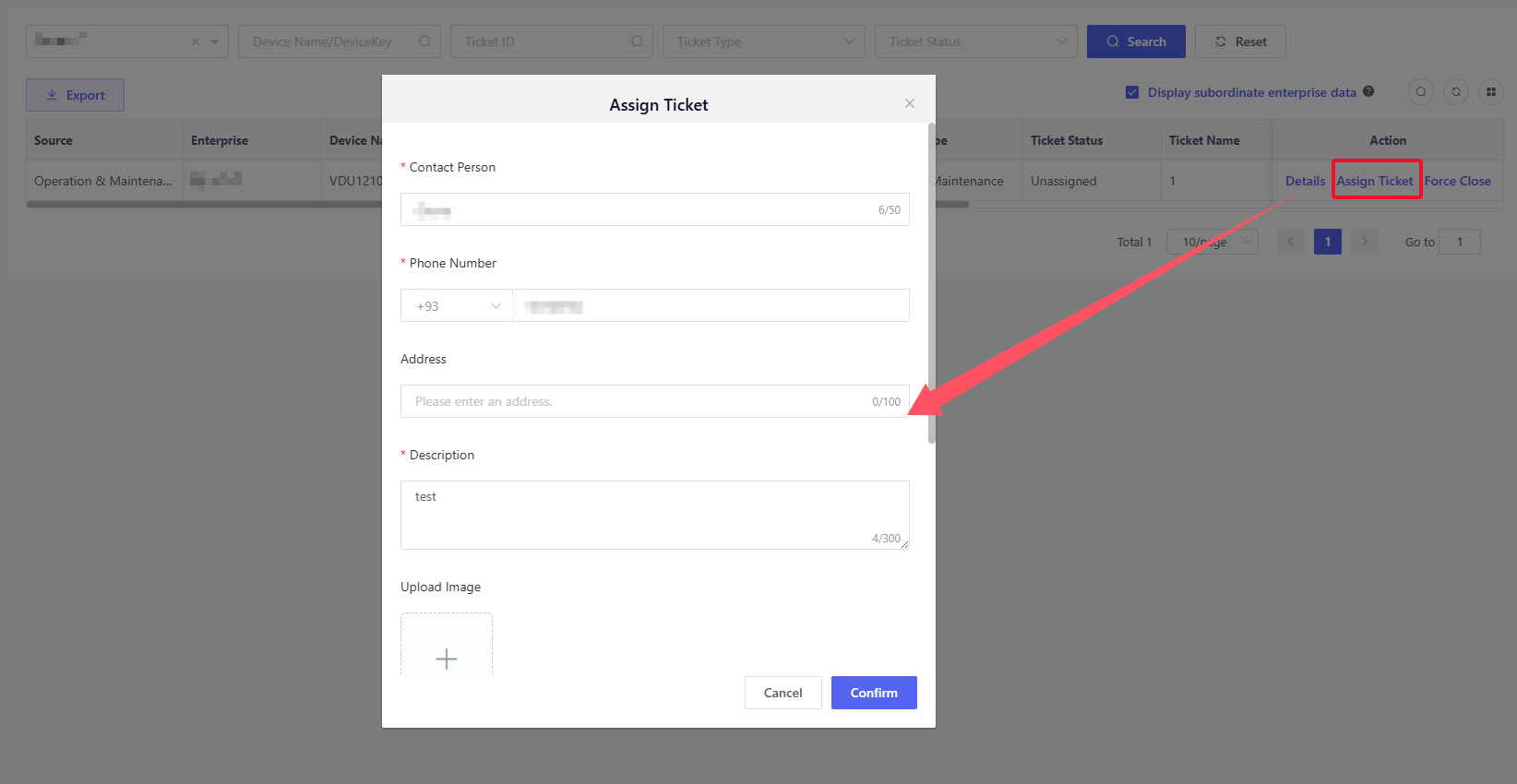
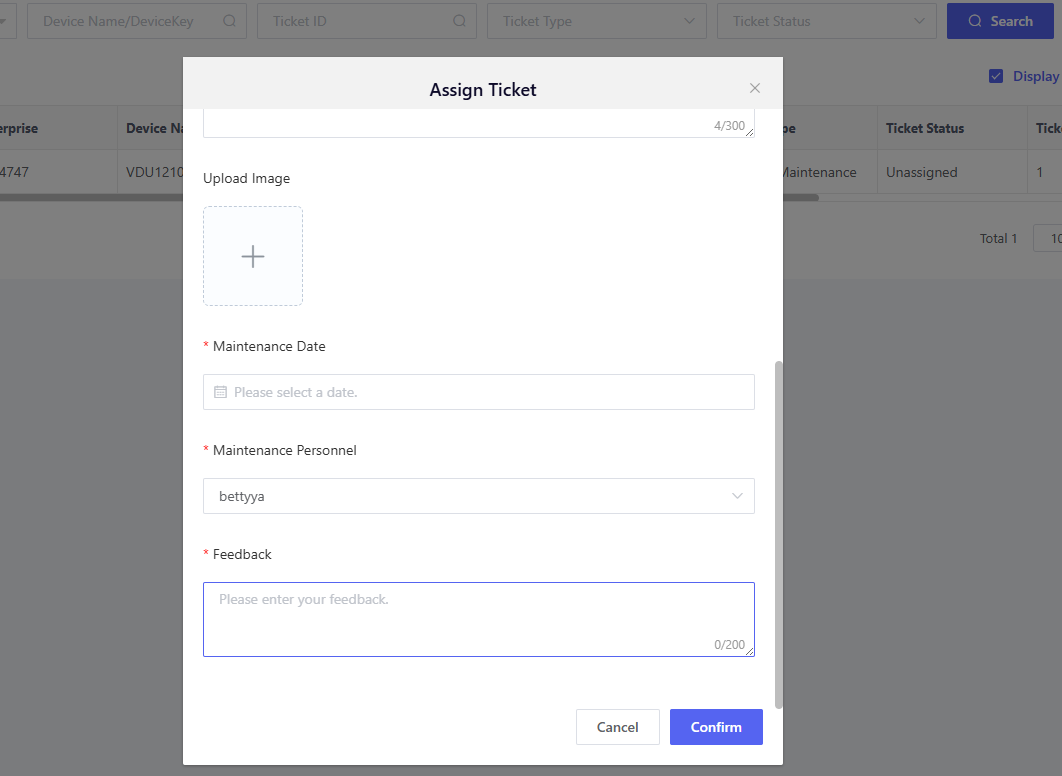
After a ticket is created, it can be assigned to the corresponding O&M after-sales personnel based on actual conditions. Click "Assign Ticket" will pop up the assignment window, which will display the basic information from the ticket creation by default, including contact person, phone number, address, ticket description, attached photos, and appointment time. Any errors or omissions can be corrected during the assignment process. Based on this information, you need to select the after-sales personnel to assign the ticket to and fill in the corresponding assignment comments.
The account under the current enterprise can be selected by after-sales personnel, and it is maintained in the User Management module. Please ensure personnel information is updated in "User Management" before assigning ticket.
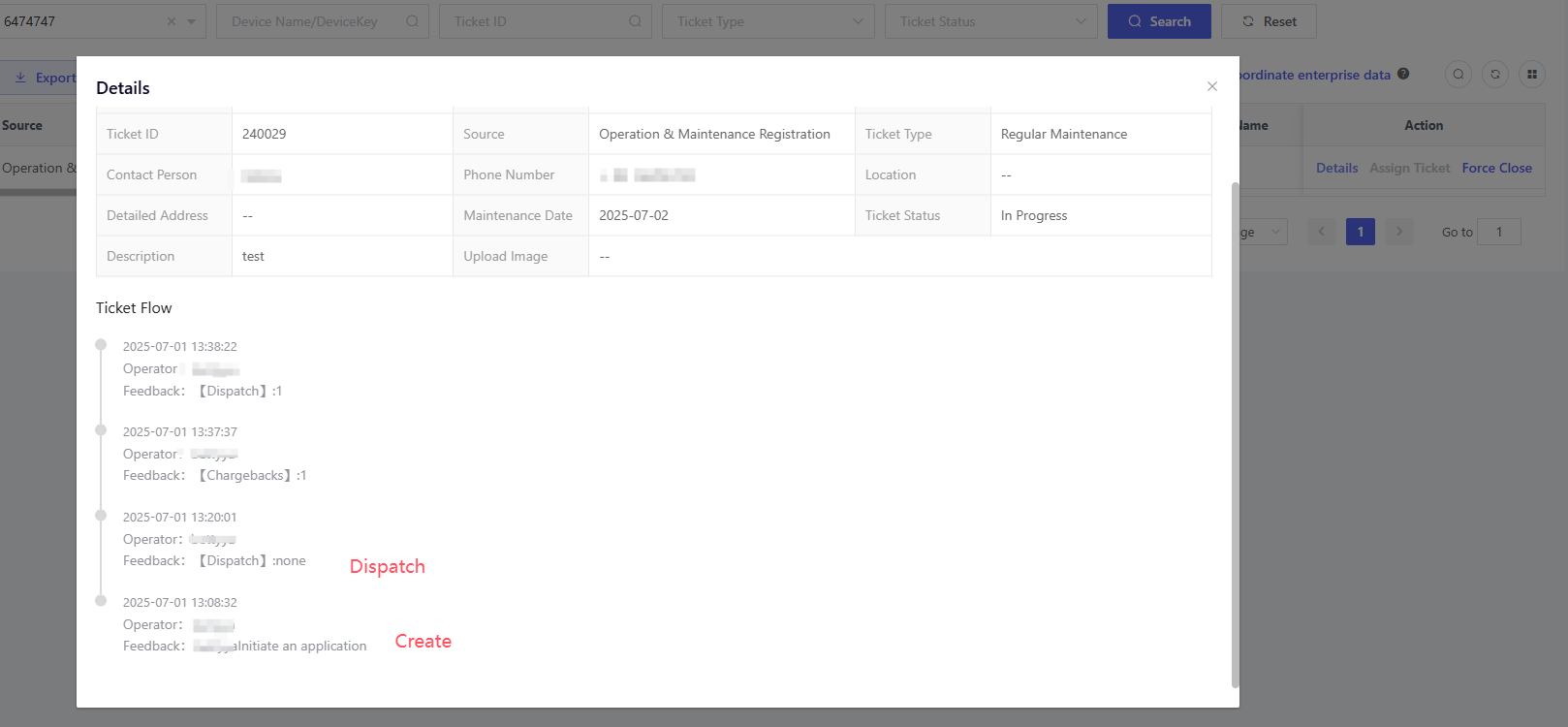
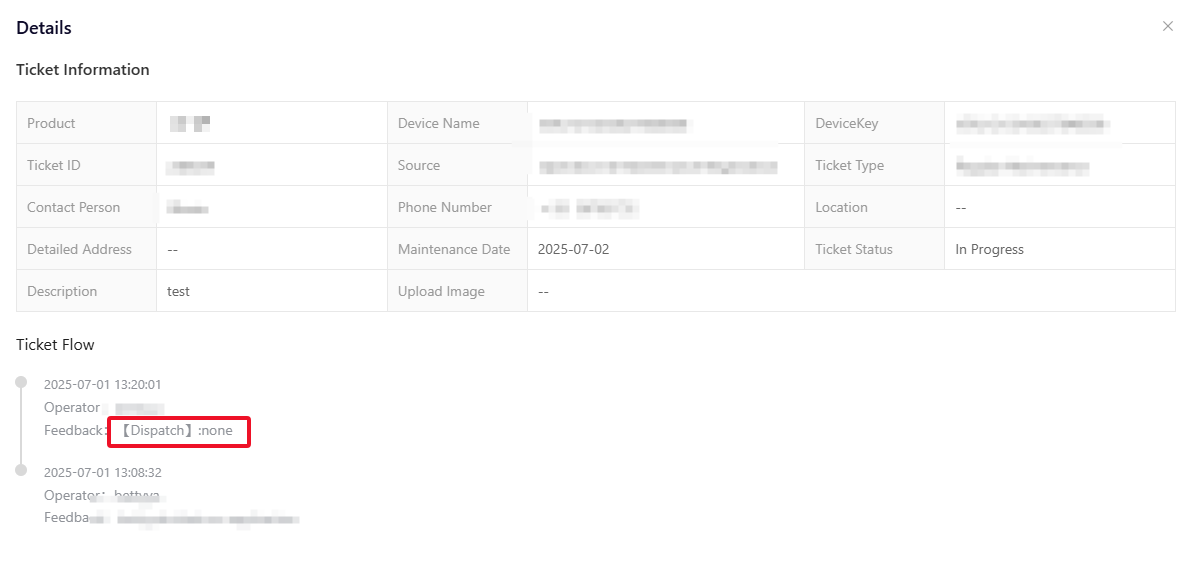
Once the assignment is confirmed, a ticket assignment record will be added to the ticket details, as shown below.
After-sales personnel can log in to the AMP and view their pending tickets under "Ticket" > "My Ticket".

7.4.2 Resolve Ticket
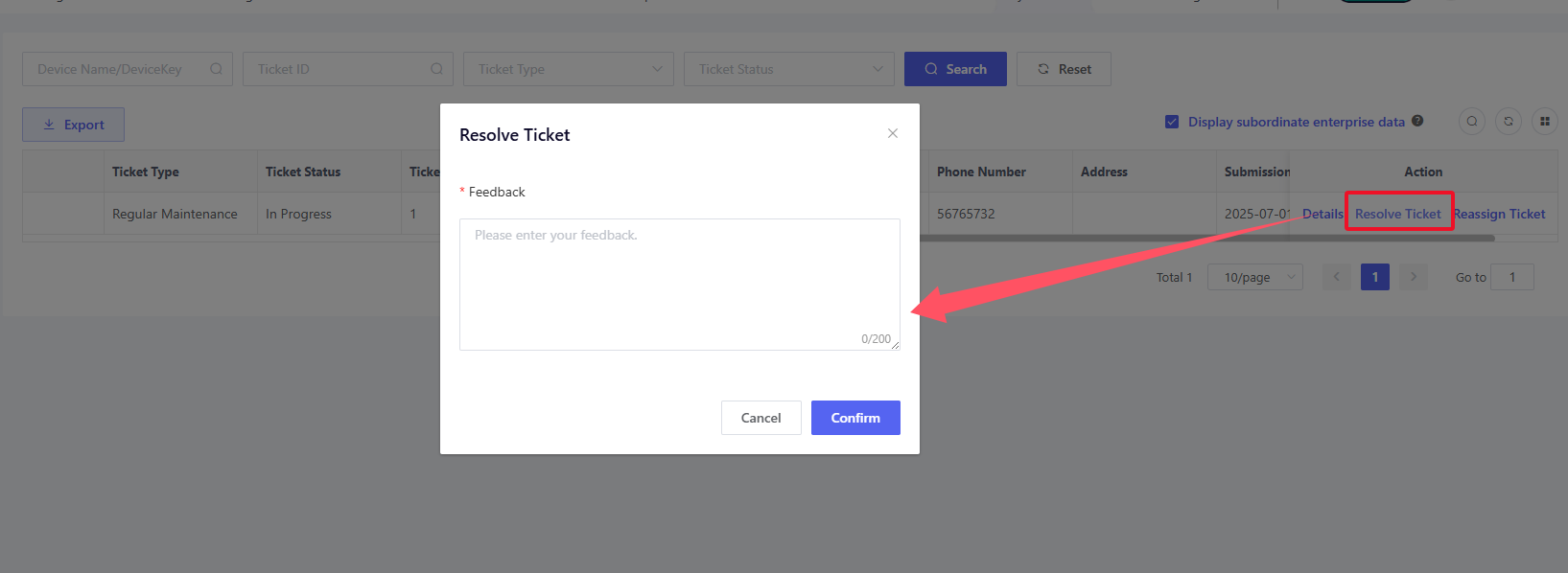
After handling the ticket, the after-sales personnel can click "Resolve Ticket", and then enter feedback (e.g., solution/results) to resolve the ticket.
7.4.3 Reassign Ticket
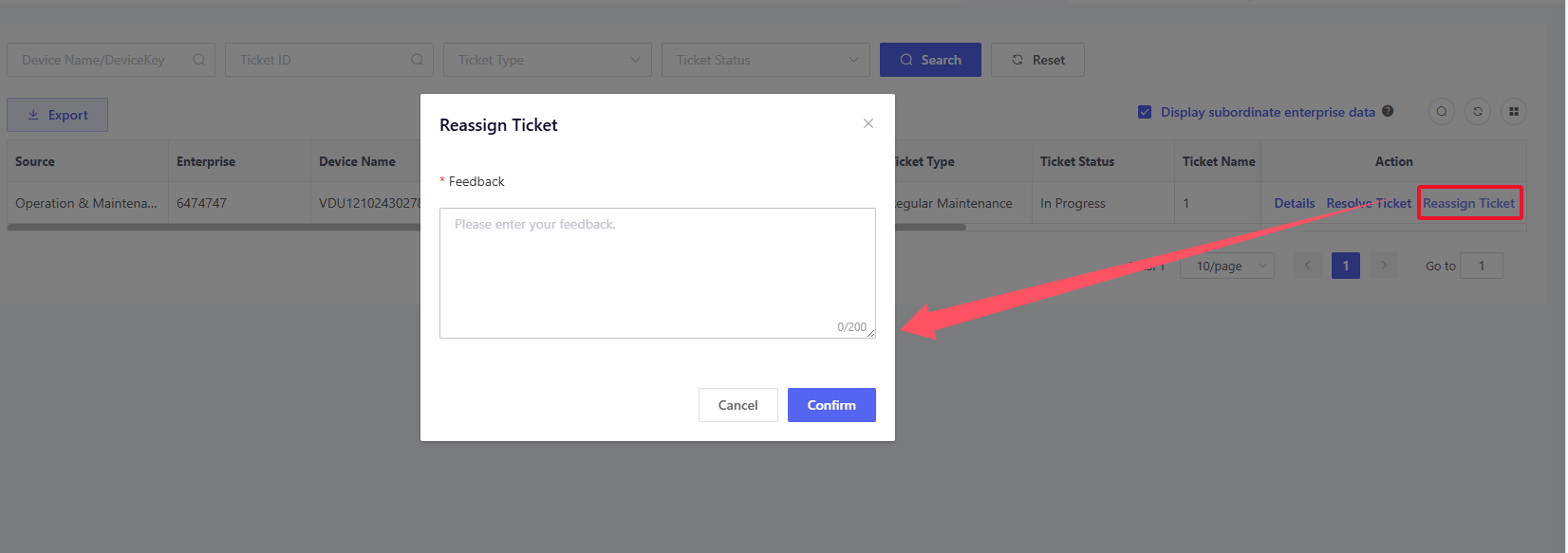
If the after-sales personnel receives a ticket but is unable to handle it for any reason, they can click "Reassign Ticket", enter the reassignment reason as feedback, and return the ticket. After the ticket is returned, it will revert to the "Pending Assignment" status, and the administrator can reassign the ticket.
7.4.4 Force Close
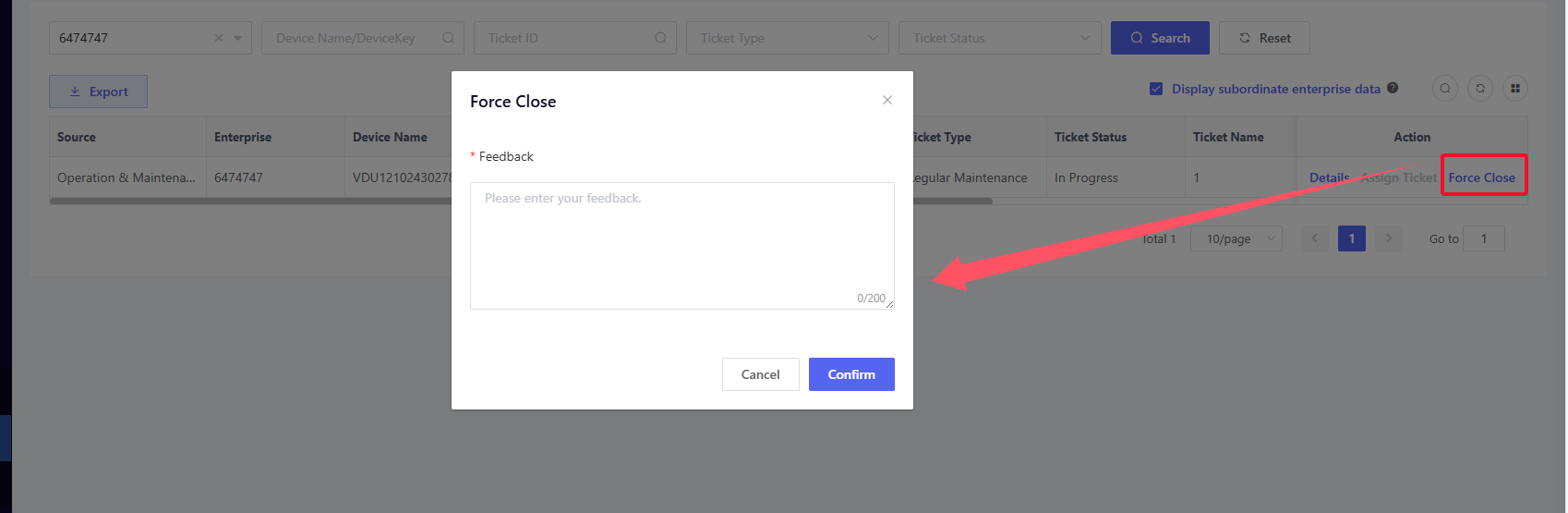
If a ticket is no longer required due to changes in plans after it has been created, you can click "Force Close" to enter the relevant information and terminate the ticket. In addition, the following scenarios will trigger forced ticket closure:
- If a device fault alert is transferred to a ticket, and the device automatically resolves the alert before ticket completion, the AMP will perform forced closure on the ticket.
- If a device fault alert is transferred to a ticket, and the alert is manually handled by users before ticket completion, the AMP will automatically perform forced closure on the ticket.
Click "Details" to view the detailed workflow information on the "Details" page.