
7.6 Alarm Configuration
In the "Alarm" - "Alarm Configuration" module, you can configure fault alarm rules.

By clicking "**Add", an alarm configuration window will pop up. In the pop-up window, you can fill in the alarm configuration, select the associated enterprise of the product/device for which the rules need to be configured, then choose the products and devices (if no device is selected, all devices under that product will be assigned to this rule by default), choose the notification method email or SMS (the contact person must provide the corresponding email and phone number) and select the contact person created in the previous step (multiple contact person can be selected). Once the configuration is completed, click "**Confirm**" to save the rules.
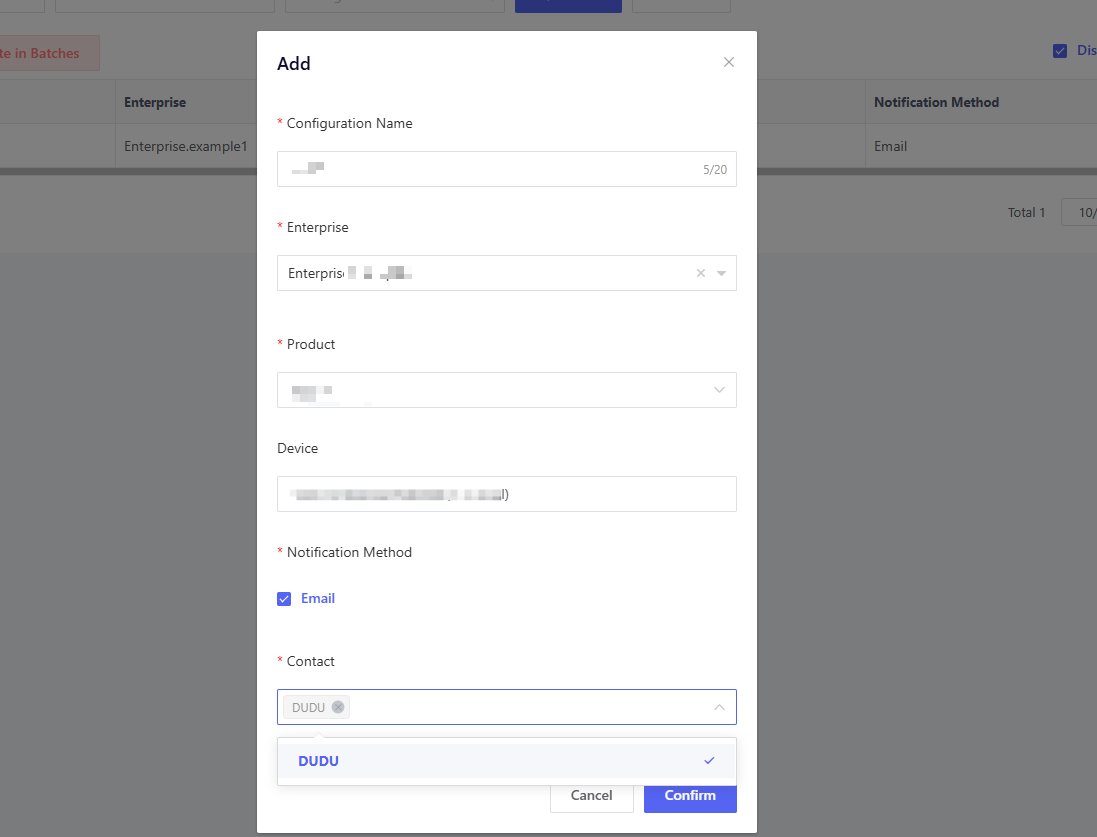

According to the above test alarm rule, after the device under the "Public Version Home Storage Current Value" product in Enterprise.example1 reports an alert/fault event, notifications will be sent via SMS to DUDU. For the same type of fault alert, notifications will be sent only once within 5 minutes.